

You can see almost every ad a competitor runs on Google, for free, with no account and no login. The tool is Google's own Ads Transparency Center, and it opens at adstransparency.google.com.
But seeing a competitor's ads isn't the point. Any of their ads could be a flop they forgot to turn off. The real job is finding the winning ads, the two or three that are actually making them money, so you can borrow what already works instead of guessing.
One honest limit before you start. The Transparency Center shows you creative, not performance. No spend, no click-through rate, no conversions. Half the skill here is reading the signals Google does give you to infer the numbers it won't.
1. Pick the right competitors
Before you research anyone, get the list right. The competitors you think you're up against often aren't the ones you actually compete with in the auction.
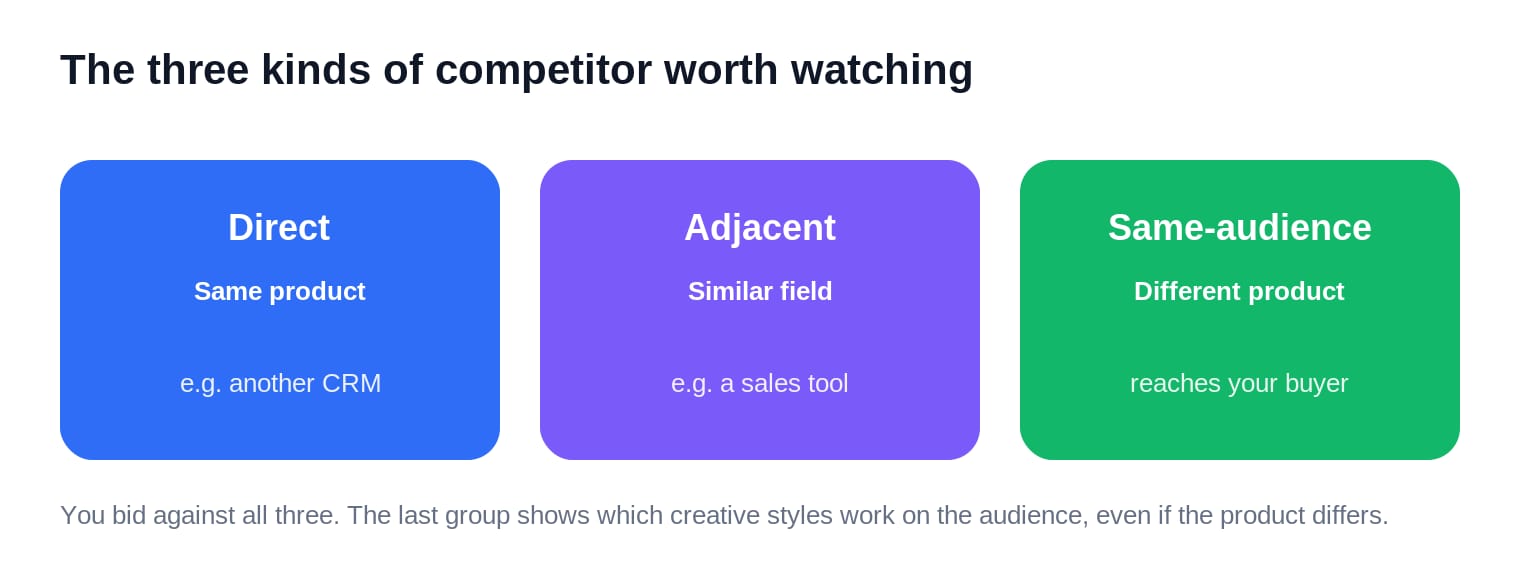
Watch three kinds. Direct competitors sell the same product to the same people. Adjacent competitors sell something nearby to that same audience. And same-audience advertisers sell a completely different product to the same buyer. You bid against all three in the auction, and that last group is quietly useful: it shows which creative styles land with your audience in general, even when the product isn't yours.
If you already run Google Ads, Auction Insights hands you this list for free. Sitting in your Google Ads account under a campaign or keyword, it shows the exact domains bidding on the same searches as you, and four numbers worth reading: impression share (how often each advertiser shows up), overlap rate (how often you appear in the same auction), outranking share (how often you beat them), and position. Its best trick is surfacing competitors you didn't know you had, brands that quietly show up on your searches without ever being on your radar.
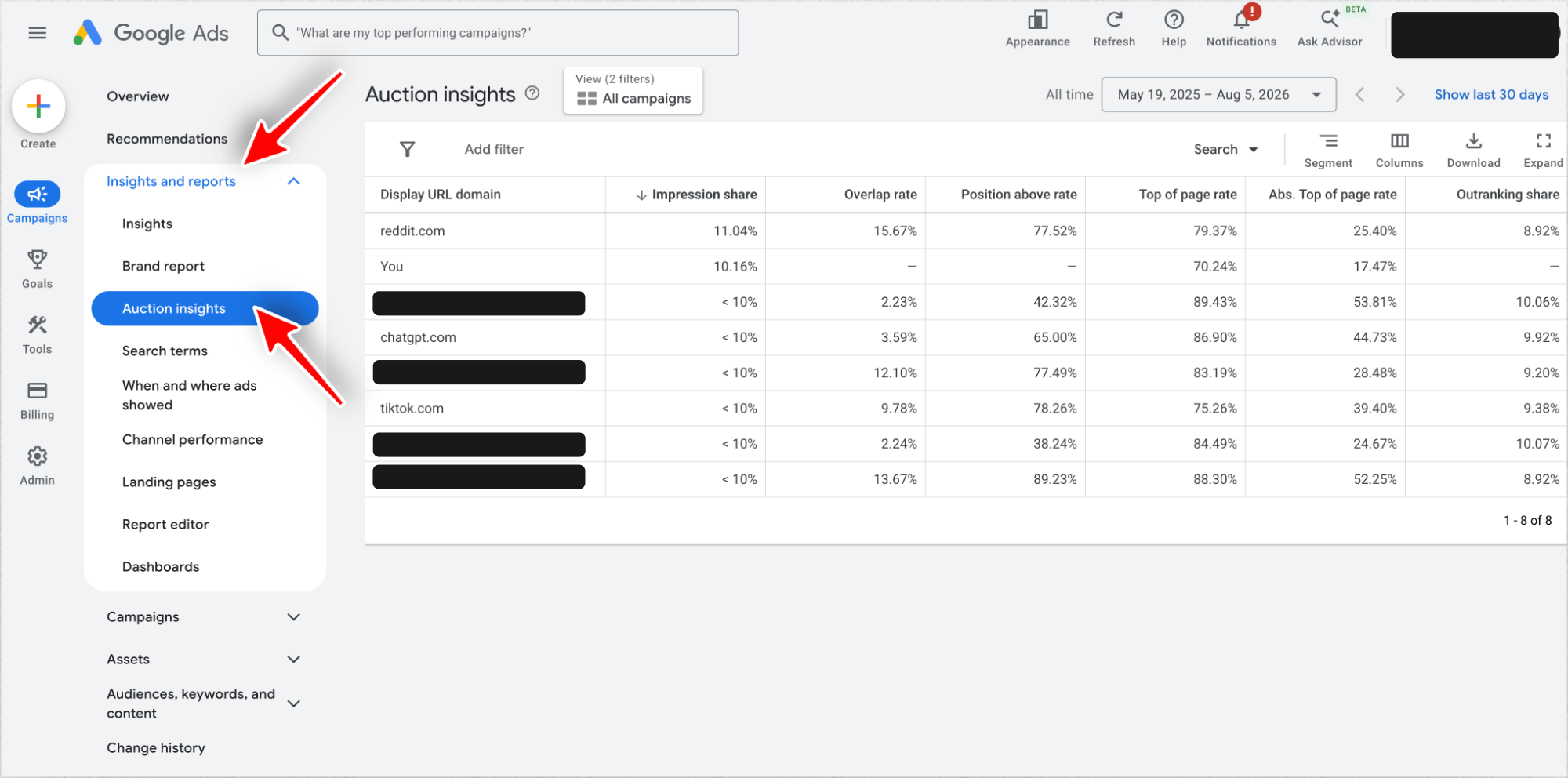
That's our own report, with a few competitor names redacted. Reddit shows up on our searches more often than we do, and ChatGPT and TikTok are in there too. We would never have put those three on a competitor list.
If you don't run ads yet, do it by hand. Search your three or four most important keywords in an incognito window and write down every advertiser at the top. Aim for a short list of three to five real competitors before you open the Transparency Center. Now let's pull their ads.
What the Google Ads Transparency Center hides
It shows the ads of verified advertisers across Search, Display, YouTube, and Shopping, in almost every country Google runs ads. For each ad you get the creative, the format, the regions it ran in, and the dates it was live.
What it hides is every performance number. Two competitors with identical ad libraries look identical here, even if one outspends the other a hundred to one. That gap is the whole reason the steps below exist: they turn "here are their ads" into "here's the ad that works."
The word "verified" matters. Google only lists advertisers who passed its identity check, so an advertiser who skipped it is invisible here, with one regional exception we'll come back to.
2. Find the advertiser
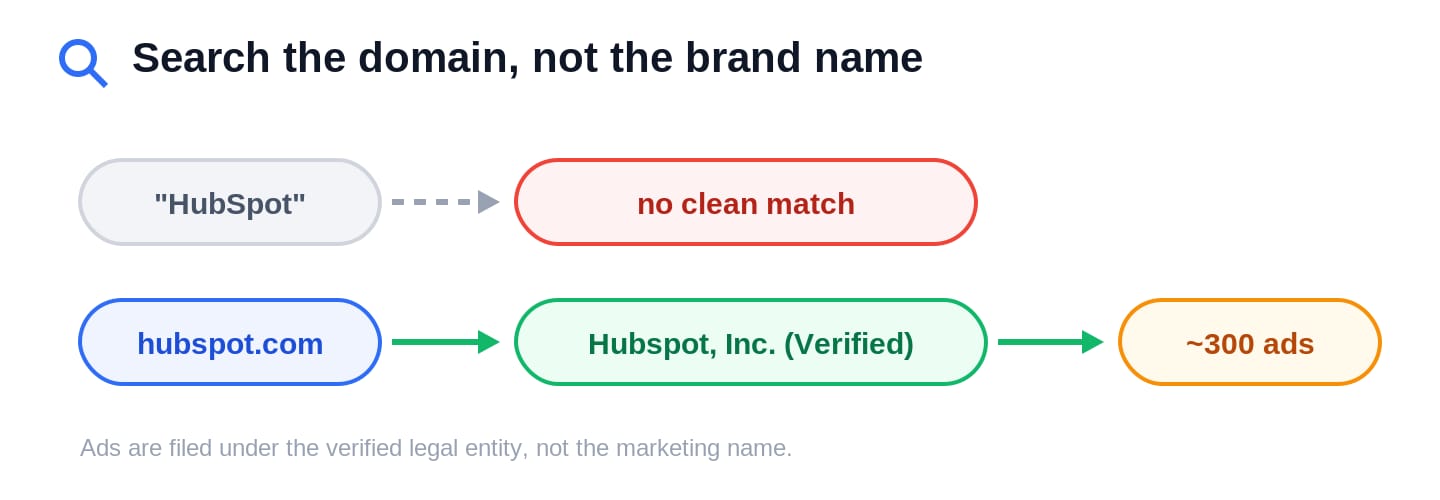
Type the competitor's domain, not their brand name. This one habit fixes the mistake that makes people wrongly conclude a competitor "isn't advertising."
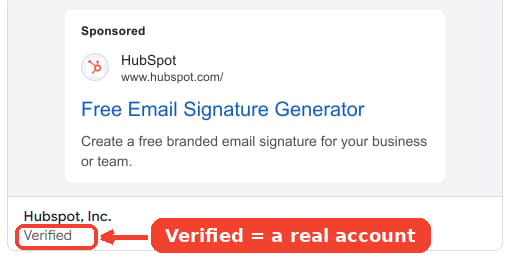
Google files ads under the verified legal entity, which often isn't the name on the website. Search HubSpot and it shows up under its website, not as a tidy "HubSpot" advertiser, and every ad is filed under Hubspot, Inc. Mailchimp is filed under its parent, Intuit. When a domain search still comes up short, grab the legal name from the site's footer and search that instead.
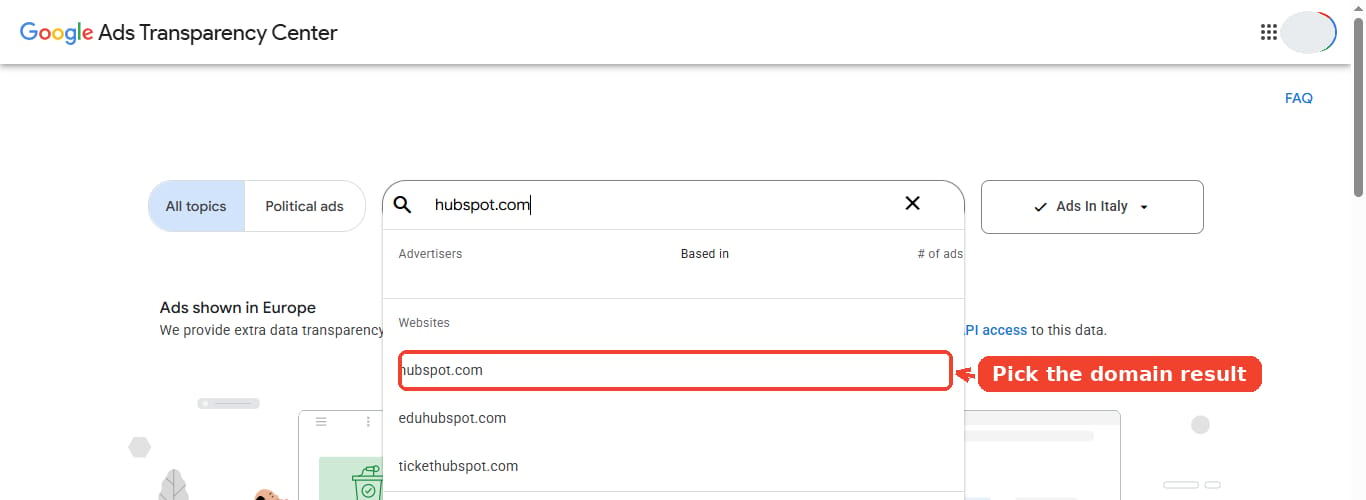
- Open adstransparency.google.com.
- Type the competitor's domain, like hubspot.com, not "HubSpot".
- Pick it from the dropdown. A domain search pulls every advertiser account pointing at that site.
Tip: you can also jump here from any live Google ad. Click the three-dot "About this ad" menu on the ad itself and choose "See more ads from this advertiser," and it drops you straight onto their Transparency Center page.
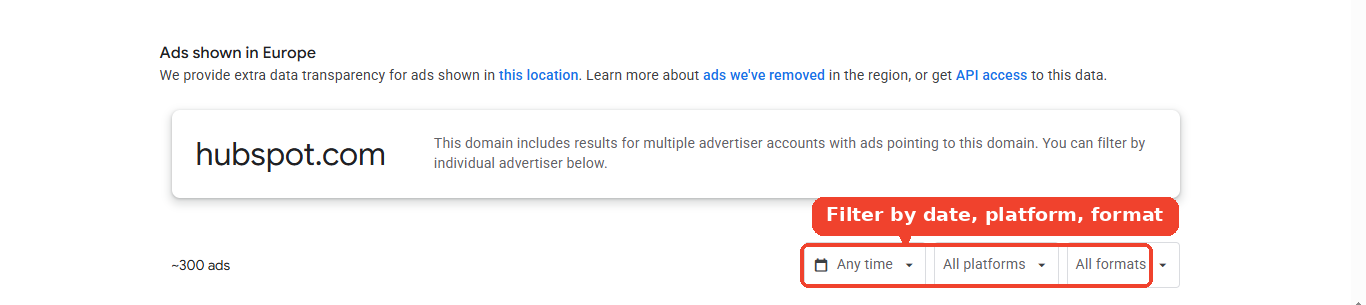
Land on the advertiser page and Google tells you how much you're looking at. For HubSpot it's around 300 ads, with filters for date, platform, and format sitting right above them. Those filters are the rest of this workflow.
3. Spy on their display ads and search ads
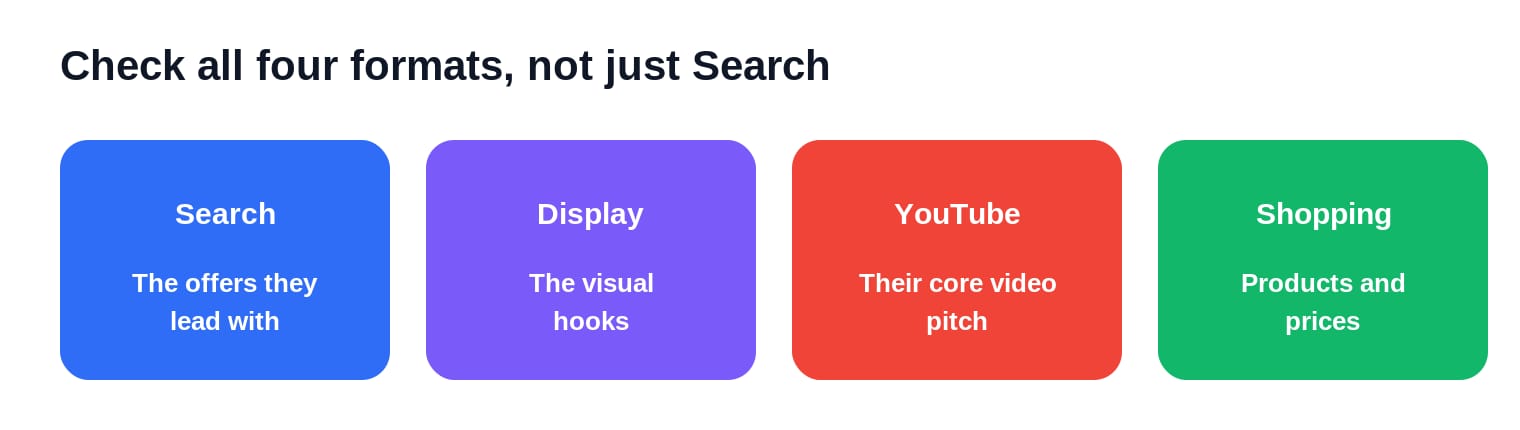
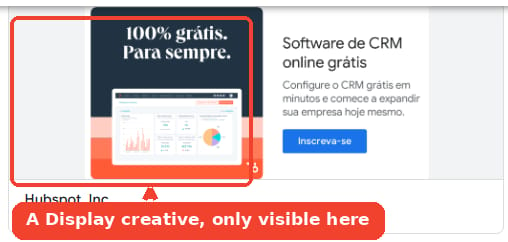
Use the format filter and look at all four, not just the search text ads. Most people skim the search ads and leave, which is exactly why the headlines are the least revealing part.
Each format answers a different question. Search ads show the exact offers a competitor leads with. Display ads show the visual hooks they push across the web. YouTube ads show the scripts they'll pay to have watched, the closest thing to their core pitch. Shopping ads, for ecommerce, show the products and prices they're actively pushing.
Here's why this section is the one worth slowing down on. Performance Max is now Google's dominant campaign type, and it has no keywords at all: Google spreads the creative across Search, Display, YouTube, Gmail, and Shopping on its own. That makes the Transparency Center the only place you can see a competitor's Performance Max creatives, because there are no keywords for a keyword tool to report. Filter to Display, YouTube, and Shopping and you're looking at the assets feeding their PMax campaigns.
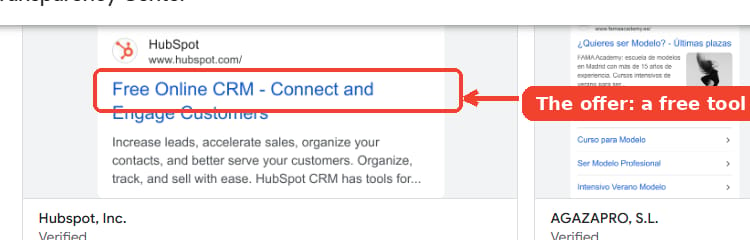
HubSpot's search ads make its strategy obvious: almost all of them lead with a free tool, "Free Online CRM," "Free Email Signature Generator," "Free Appointment Scheduler." Get people in the door with something free, and you can read it straight off the grid.
Now you know the full spread of what a competitor is saying. What you still can't see is which of these ads is worth copying.
4. Spot their winning ads
The ad a competitor has run the longest is almost always the one that works. This is the single most useful signal in the whole tool, and it costs nothing.
The logic is simple. Advertisers kill losing ads fast, because a loser wastes money every day it stays live. An ad still running after four months has survived that culling, which means it's probably paying for itself. An ad that showed up for six days and vanished is one they tested and dropped.
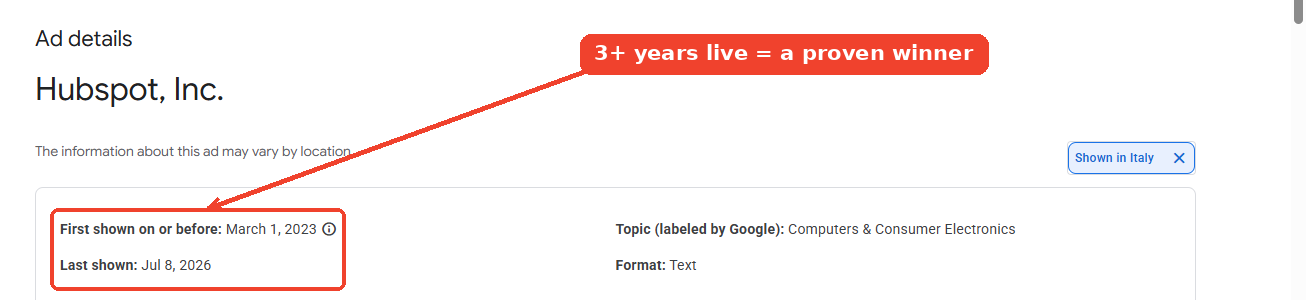
Two more signals sharpen the read. First, watch the variations. Several versions of one long-running ad means they found something that works and are scaling it, because nobody bothers rewriting a loser. A stream of brand-new ads that each last a week or two means the opposite, they're still hunting for the winner. Second, sheer volume is a rough budget signal. An advertiser running 300 live ads is playing a very different game from one running 12, and the count tells you who's spending at scale before you read a single creative.
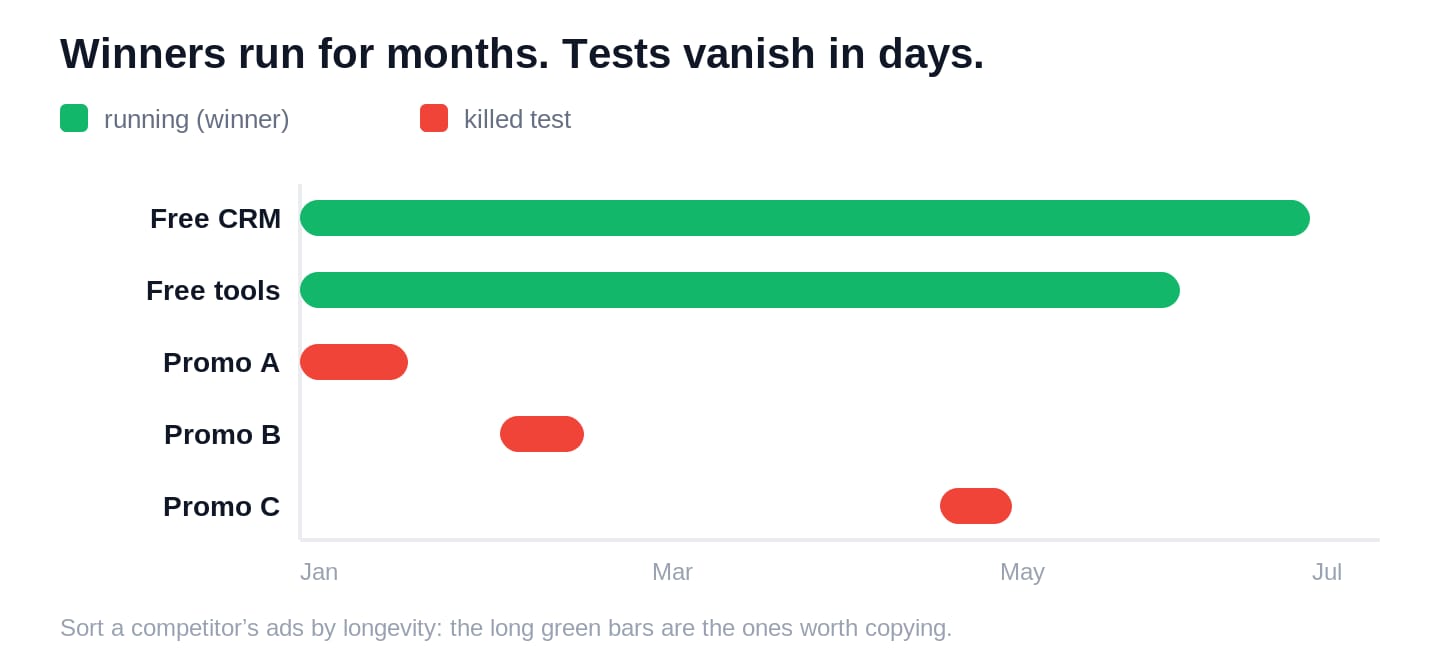
Doing this by hand means opening each ad, reading two dates, and doing the subtraction across hundreds of ads. This is the first place a dedicated tool saves real time. In AdKit's Ad Library you sort a competitor by "longest running" and the survivors jump to the top, each with its run duration already calculated. HubSpot's oldest live ads, the free business plan template and HubSpot Academy, have been running well over a thousand days. That length is the tell.
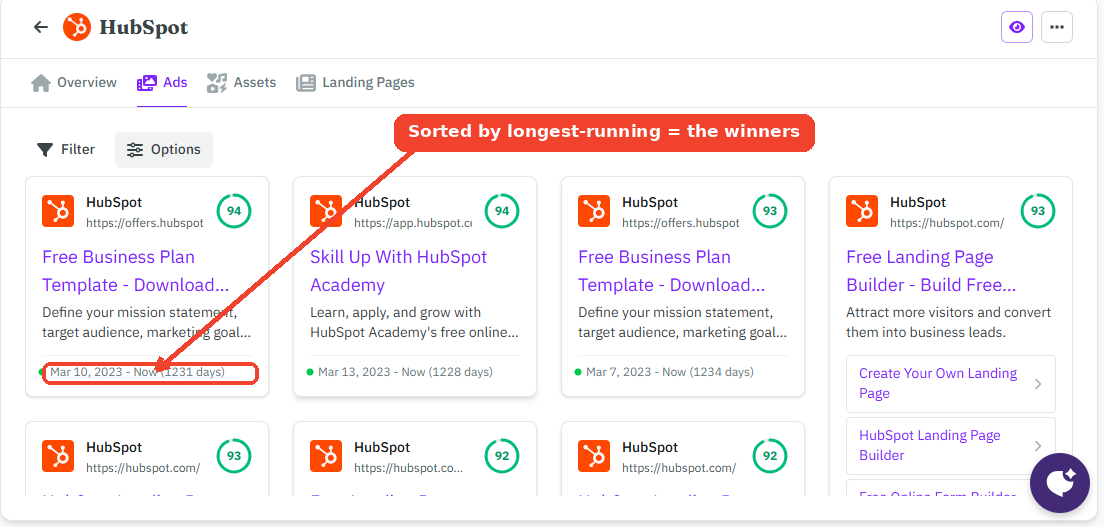
Run length tells you an ad probably works. It won't tell you which searches it's chasing, which is next.
5. See the keywords they pay for
Creative tells you the message. Keywords tell you the intent behind it, the actual searches a competitor pays to win. The Transparency Center won't show you those, because it only holds the ads, not the terms behind them.
This is where you need real keyword data. AdKit's keyword view combines confirmed paid keywords from Google's search results with terms estimated from the ad copy itself, then attaches search volume and cost per click to each. For HubSpot it surfaces the expensive commercial terms they defend, like "hubspot free crm" and "relationships crm," some costing north of $40 a click.
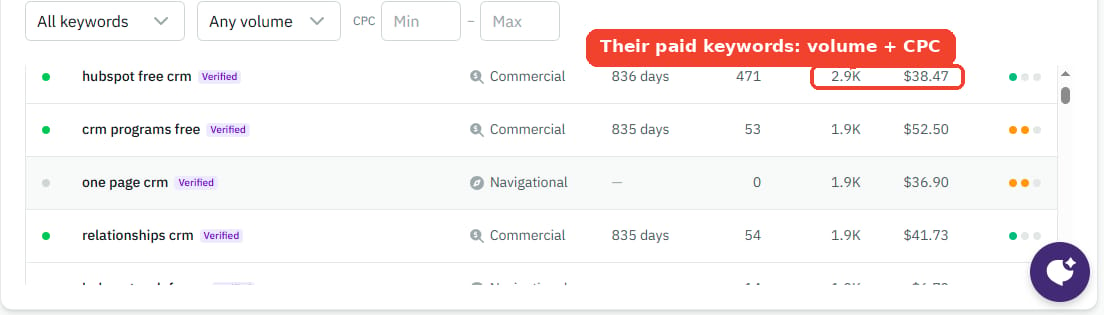
One caveat, so you read it right. This isn't pulled from inside a competitor's ad account, nobody has that access. It's built from public search data and their live ad copy, so treat it as a strong, sourced estimate rather than their exact bid list. A high cost per click next to a long-running ad is about the clearest "this makes us money" signal you'll find without their login.
6. Confirm winners with the EU setting
Set the region filter to a European country and Google starts showing data it hides everywhere else: an impressions range for the ad, and, on many ads, the targeting the advertiser asked for.
By default the tool shows your own country, so from the US you get creative and run dates and nothing more. Switch the region to Germany, France, or Italy, open a single ad, and the detail page now carries an impressions range inside the EU plus targeting details like age, location, and roughly who was included or excluded.
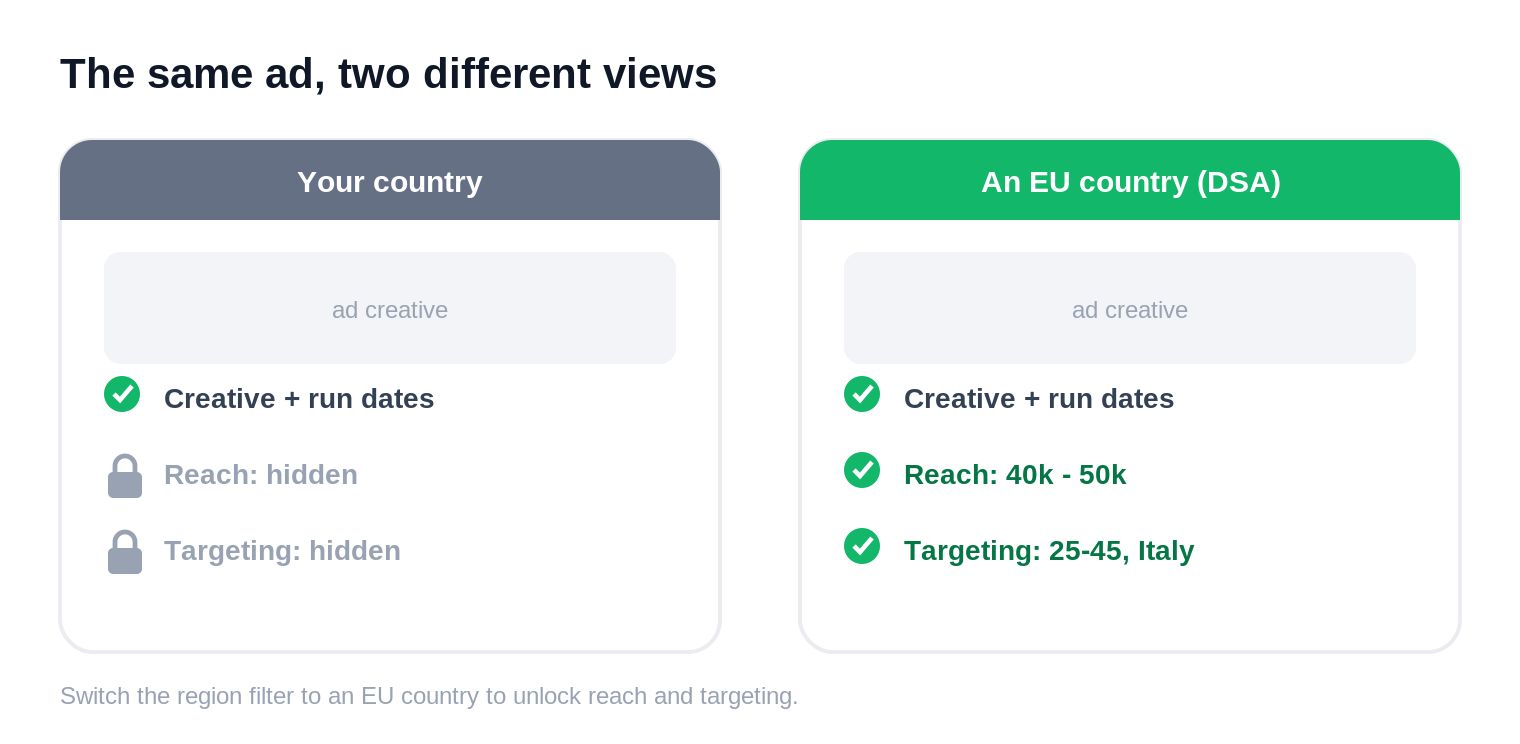
This isn't a favor. Under the EU's Digital Services Act, Google has to publish this for ads shown in the EU, so it scopes the disclosure to where the law applies and strips it everywhere else. You're borrowing a European viewer's version of the same ad. Google even offers API access and an archive of ads it has removed for that region, both things the rest of the world never gets.
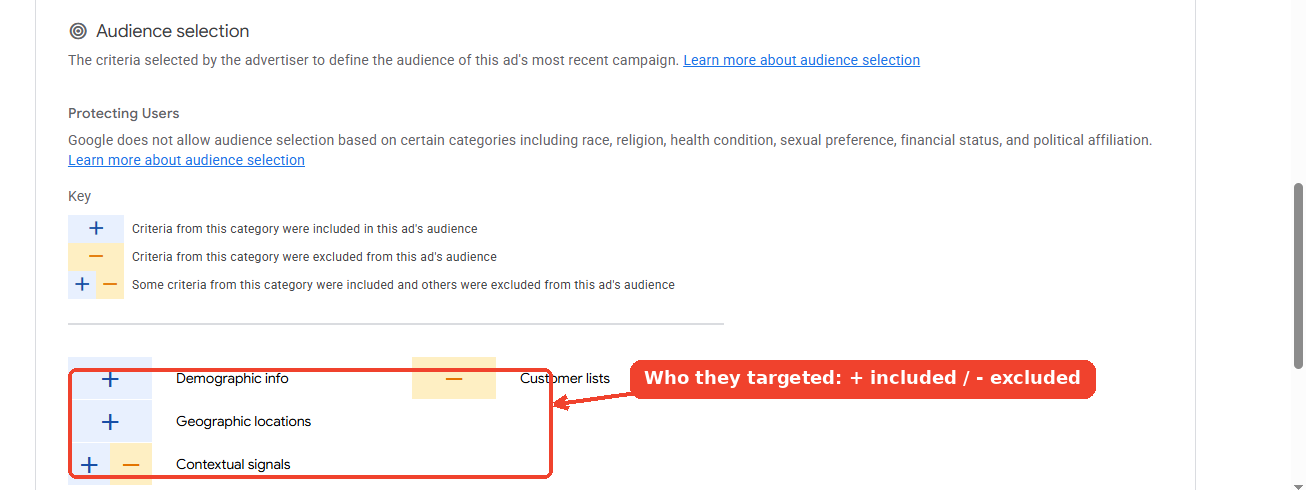
An ad that has run for months, carries a large EU impressions range, and sits on an expensive keyword is one a competitor is clearly feeding real budget. That impressions range is also the key to the question everyone actually wants answered.
7. Estimate what they spend
No tool shows a competitor's real ad spend, and anyone claiming otherwise is guessing. But you can calculate a defensible floor, a "minimum spend," straight from the EU view.
Every ad in an EU region shows an impressions range. Take the low end and turn it into money. How you do that depends on the format, because Google doesn't sell every ad the same way.
Display and YouTube ads are sold by the impression, so multiply the low end by a typical CPM, the cost of a thousand impressions. One million impressions at a $2 CPM means the advertiser spent at least $2,000 on that single ad, in the EU alone.
Search ads are sold by the click, so the math takes one more step. Turn the impressions into clicks with a typical click-through rate, then multiply by a typical cost per click. Twenty-five thousand impressions at a 4% click-through rate is a thousand clicks, and at $4 a click that's $4,000 on one ad. Search costs far more per impression than display, which is why the same impression count can mean wildly different money depending on the format.
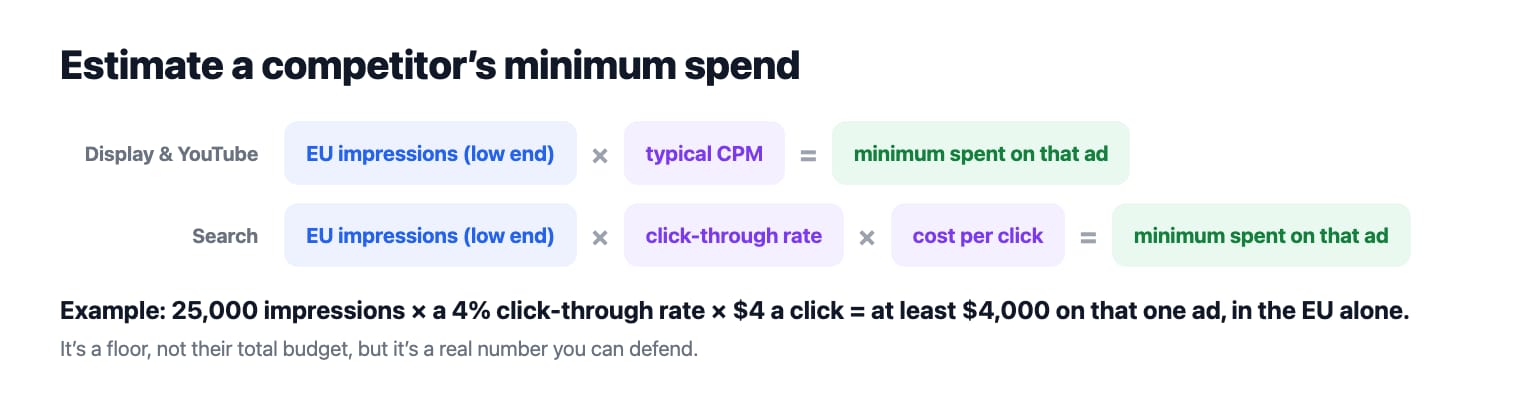
It's a floor, not their budget, but unlike most "spy tool spend estimates," it's a real number you can point to.
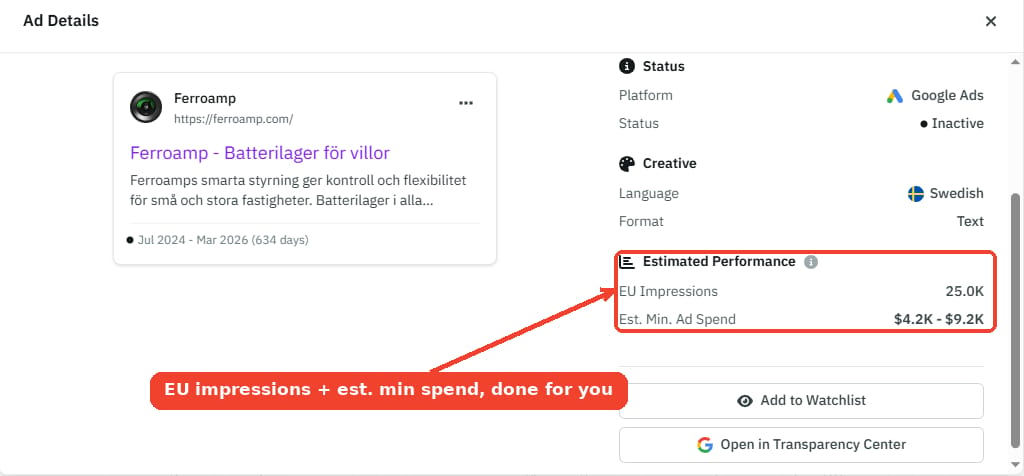
The catch is the arithmetic, and the fact that not every ad carries the impressions row. This is the other spot a tool earns its place. Open the same ad in AdKit and the detail panel shows the EU impressions and an estimated minimum spend for that exact creative, run with per-industry click-through and click-cost rates instead of one generic number.
8. Know the three blind spots
The Transparency Center is a snapshot, not a complete archive. Three gaps decide what you can and can't see.
Unverified advertisers. If a competitor never completed identity verification, their ads don't appear at all, except to viewers in the EU and Türkiye.
The indexing lag. New ads take roughly 48 to 72 hours to appear after going live, or after an advertiser finishes verifying.
The one-year window. Google keeps a commercial ad for about a year after it last ran, then drops it (political ads stay up to seven years). The EU archive of removed ads is the one place this loosens.

The moment you want an ad a competitor already deleted, or you want to know the day they launch a new one, a public browser tab can't help you.
9. Track the next launch
Everything above is a manual sweep: you search each competitor, read what's live today, and repeat next week. It can't give you two things, history and speed. The ads they've already deleted, and the day they launch a new one, both slip past a browser tab.
Adding a competitor to a tracker once fixes both. In AdKit you add HubSpot and get their whole footprint in one place, an estimated spend, the live ad count, and every platform they're on, without opening four ad libraries by hand.
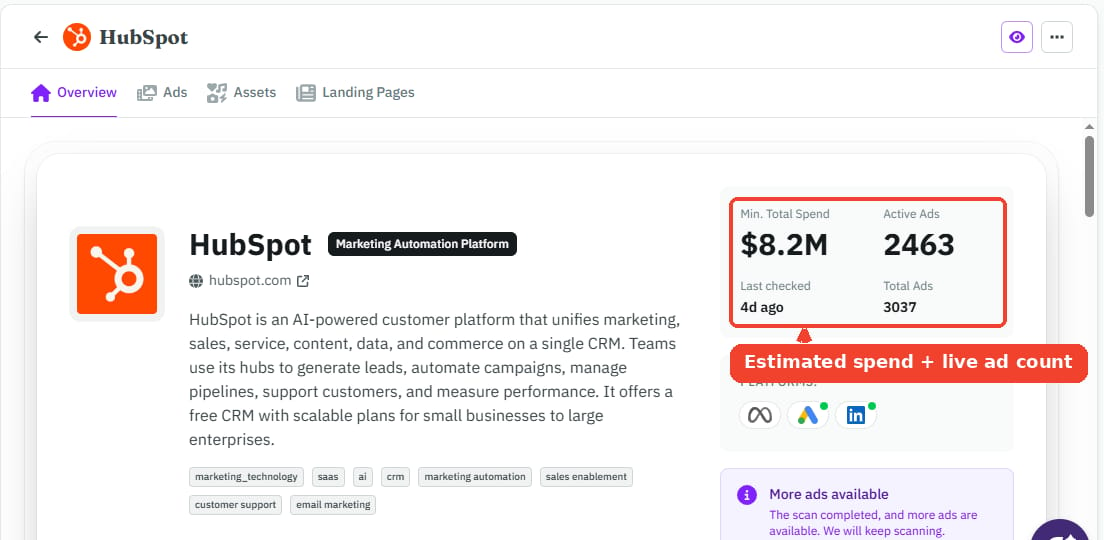
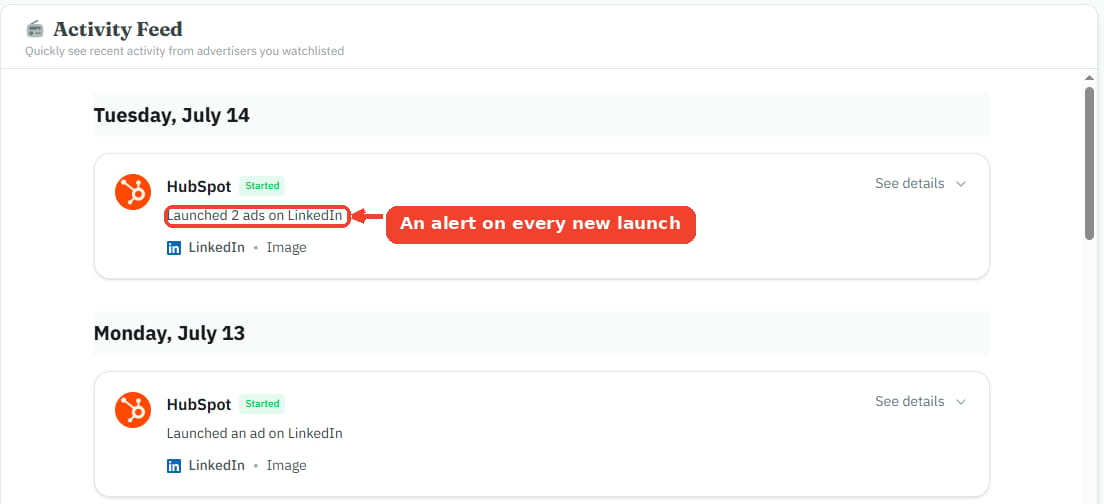
From there the archive keeps the ads they take down, and a digest flags the new ones they publish. Instead of discovering a competitor's campaign three weeks late, you see it within a day of going live.
Your next 30 minutes
You don't need a project for this. Here's the version you can run right now.
- Get your list. Open Auction Insights, or google your top three keywords in incognito, and pick three real competitors across the direct, adjacent, and same-audience buckets.
- Pull each one in the Transparency Center by domain, and scan for their longest-running ads and their display and YouTube creatives.
- Write down the offer and angle each winner leads with. That's your swipe file.
- Switch the region to an EU country, open the ones that matter, and estimate a minimum spend on the biggest.
- Drop those three competitors into a tracker so their next launch comes to you.
Do that once and you'll know more about your competitors' paid strategy than most of them know about yours.
Further reading: for why some of these ads cost what they cost, see How Ad Platforms Work. For a swipe file with breakdowns, see Best SaaS Ads in 2026, or browse 150+ curated winners in the free ad library.
Frequently asked questions
Yes. It is free, needs no Google Ads account and no login, and works in almost every country Google runs ads in. Only verified advertisers appear in it.
Not their real spend, no. But an EU region shows an impressions range per ad, and that range converts into a minimum spend. A tracker like AdKit runs that math for you on every ad that has the data.
Not in the Transparency Center, which holds the ads, not the search terms behind them. A keyword tool infers the paid terms from confirmed search-results data plus the ad copy, which is how you get volume and cost per click without their account.
Yes, and this is the only place you can. Performance Max has no keywords, so keyword tools miss it entirely. Filter an advertiser to Display, YouTube, or Shopping to see the creatives feeding their Performance Max campaigns.
Google keeps commercial ads for about a year after they last ran, and political ads for up to seven. New ads take 48 to 72 hours to appear, so a campaign launched this morning will not be there yet.
Both are public ad archives forced by regulation, but they index different things. Meta files ads under a Facebook or Instagram page, so anyone can run ads from a new page. Google files them under a verified legal entity tied to a domain, which makes advertisers harder to hide but leaves unverified ones invisible outside the EU and Türkiye.