
 Microsoft Ads MCP Meta Ads CLI Google Ads CLI LinkedIn Ads CLI Reddit Ads CLI TikTok Ads CLI X Ads CLI


The safe Microsoft Ads CLI for AI agents
Let your AI agents manage your Microsoft Ads for you
Your agents launch Search campaigns, manage keywords and bids, and pull reports through the AdKit CLI. Works with Claude Code, Codex, Cursor, and any terminal. Every change lands as a draft you approve before Microsoft sees it.
 Claude
 OpenClaw
 ChatGPT
 Perplexity
 Claude Code
 Codex
Codex Cursor
 Grok
Grok Muse
Muse Gemini CLI
 Hermes
 n8nMCP Server












"My agent analyzed my account using Adkit, found what to optimize, and drafted all the changes, I only had to click 'Approve'. The first 30 minutes already saved me 8 hours of work."
The Microsoft Ads editor makes simple work take an hour
- Research keywords and set bids one by one in the editor
- Dig through hundreds of search terms to spot wasted spend
- Export the same report every week by hand
- ...or use custom scripts that have no guardrails and break your account
- 1. Ask your agentPlain English. It runs the CLI for you: campaigns, keywords, reports.
- 2. Review the draftEverything is a draft first. Preview campaigns, keywords, bids, budgets.
- 3. Publish when readyNothing touches your live account until you explicitly approve.
"AdKit MCP has been extremely useful. I've been using my AI agent for a month now and last month I wanted to run an ad, I had to manually copy-paste csv, fix all the settings, spend hours. AdKit allows me to create and iterate on ads in a single prompt"
What your agents can do with the CLI
 Claude Code
Launch a Microsoft Search campaign for "crm software", $80/day, exact and phrase match
Built it as a draft for your approval:
Search campaign created (draft)
12 keywords · $80/day · Bing search
[ Launch Campaigns ]
Launch Microsoft Ads from one command
Tell your agent what you sell and who to reach. It builds the Search campaign, keywords, match types, bids, and responsive search ads as a draft, and nothing goes live until you approve it.
 Claude Code
Put together a weekly Microsoft Ads report I can send to the team
Here is the weekly summary, ready to share:
Spend
$2.1k
CPC
$1.51
CPA
$29
[ Reporting ]
Create reports you can share
Ask your agent for the week and it pulls spend, clicks, and cost per conversion across every campaign, then writes the summary in plain English. No CSV export, no pivot table. Reporting is read-only, so nothing about your live account changes.
 Claude Code
Which keywords are wasting budget this month?
Found 5 keywords with CPA above target:
[ Cut Waste ]
Find the keywords burning budget
Your agent ranks your keywords by cost per conversion and flags the ones producing nothing. Approve the change and it drafts the pause or the negative keyword.
 Claude Code
Add negatives for the irrelevant search terms in my Search campaigns
On it. I drafted this change for your approval:
Adding 9 negative keywords
Irrelevant search terms · 3 campaigns
[ Keyword Manager ]
Expand and prune keywords in bulk
Ask your agent to add negatives, expand match types, or test new keyword themes across your campaigns. It scans your search terms and drafts every change for your approval.
Claude CodePause any keyword over $50 CPA, and check if the Search campaign budget is on track
Two moves drafted for approval:
Pause 'crm software' keyword
CPA hit $142, above your $50 cap
Cap 'Search - Brand' daily budget
Trending 40% over pace for the month
[ Budget Control ]
Keep your ad spend under control
Microsoft campaigns can burn cash on keywords that stopped converting, or pace over budget without warning. Your agent watches both and drafts the pause or the cap for your approval.
"Now I can use my AI agent for monitoring competitors, creating static ads, publishing them, and analyzing their performance. This has 10x'd my capabilities to iterate on ads."

Flo Pariset
Founder of Notis AI
Connect, draft, and publish in three steps
Connect your agent
Ask your agent to connect, and it links your Microsoft ad account through AdKit. Works with Claude Code, Codex, Cursor, and any terminal. Under 2 minutes.
Draft in plain English
Ask for a campaign, a keyword change, a negative list, or a report. Your agent runs the CLI and everything writable lands as a draft in AdKit.
Review and publish
Open the dashboard, check the keywords, bids, and budgets, and approve. Only then does anything reach Microsoft.
"Just this morning I used the MCP with Claude and basically I didn't even need to open up the app. It just did everything directly from Claude, which is a super nice unlock if you're into automation."
Works with any AI agent or terminal
Any CLI or MCP-compatible client. One config line, connected in under 2 minutes.
Your CLI connects to a full ads platform
Research
Find what's working right now
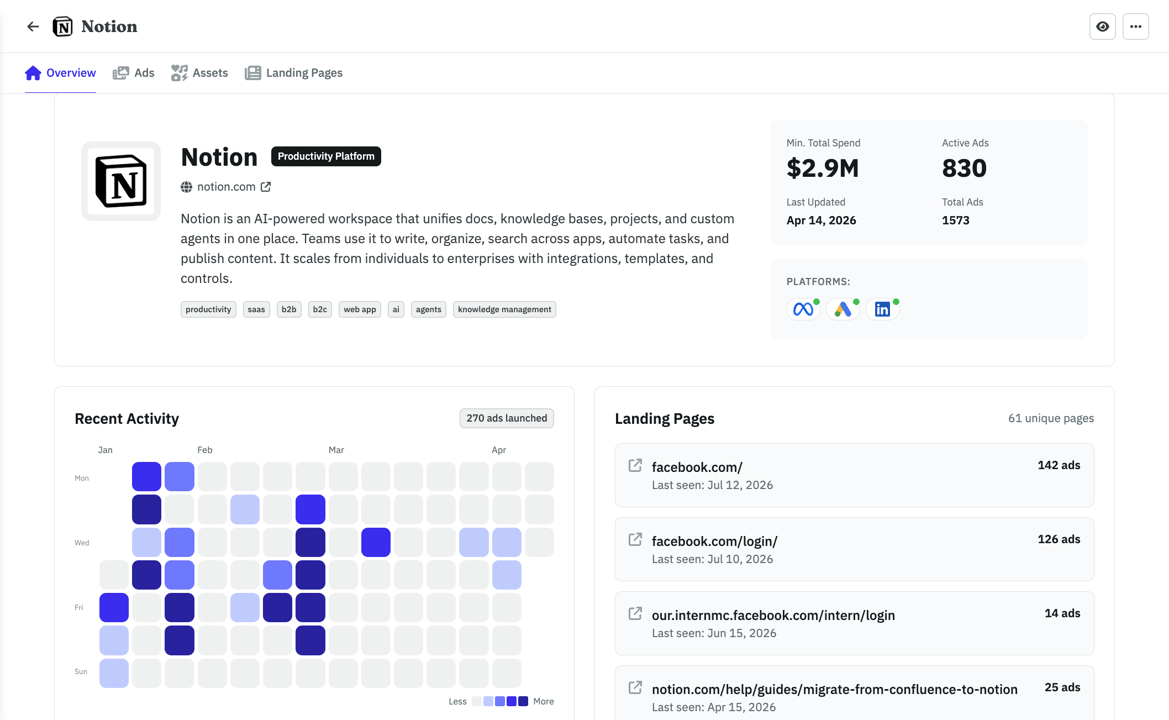
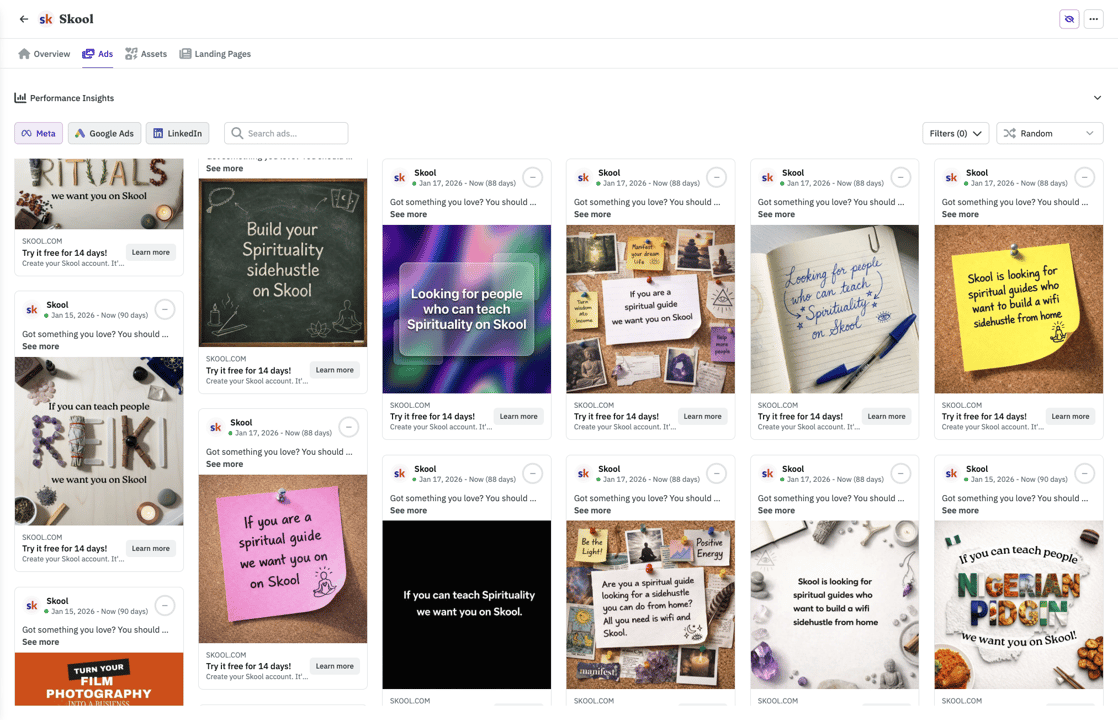
Browse 1M+ ads or import your competitors. Filter by vertical so you see businesses like yours.
- Competitors tracked across Meta, Google, and LinkedIn automatically
- See which ads are evergreens vs. tests your competitors already killed
- Weekly digest in your inbox. No more scrolling ad libraries.
With your agent
ClaudeWhat's the ad Notion has been running the longest?
Their Postit style ad has been live 142 days, it points to their top landing page (126 ads running to it). Want me to save the creative and LP to your swipe file?
Built by someone who actually runs ads

Hi there 👋 I'm Nico, the founder of AdKit 😄
Before building startups, I was a media buyer. I managed over $1,000,000 in Ads, sold two startups grown with ads, and helped 1,000+ makers learn Meta Ads through my online guides.
I love ads but... it involves a lot of repetitive, boring work 😩 And I hated every second of it. So I built AdKit to fix that.
To let me and other marketers focus on the fun parts: the strategy, the thinking, the creativity. And not have to waste my time clicking around in buggy interfaces.
It's the app I always dreamed of, and I hope you'll like it too 😀
You're probably wondering...
Every change is a draft by default. Your CLI commands create campaigns, keywords, and ads in AdKit's dashboard. Nothing touches your Microsoft account until you approve it.
You could. But the Microsoft Advertising API has a deep campaign hierarchy, its own bidding rules, and frequent changes. AdKit handles all of that. You get a CLI, it handles the API.
No. AdKit handles auth. One command to connect your Microsoft ad account, no token setup, no OAuth dance.
People like you love AdKit:
Founders & Solopreneurs
You're growing a product and don't have the budget for an agency. You want to run ads yourself without spending your week in Ad Managers UI.
Agencies & Media buyers
You run multiple ad accounts and want a way to manage them faster. 10 accounts = 10x the same work, and every hour wasted in ad managers is time you'll never get back.
Growth Marketers
You already do most of your work with AI agents. Ads should work the same way, not force you into a separate tool with its own learning curve.
Brand Managers
You need to easily keep track of what competitors are doing and get ideas. AdKit lets you track your competitors across platforms and search 1M+.
Stop losing hours to the Microsoft Ads editor
- 45mCampaign setup
Keywords, bids, ad groups, match types. One ask instead of forty clicks.
- 1hReporting
Spend, clicks, and cost per action across every campaign, written up and ready to send.
- 30mSearch term cleanup
Review search queries, add negatives, adjust match types. All from a conversation.
saved every year
(2-3h/week x 52 weeks)
That's a search term cleanup and a keyword expansion off your plate, every single week.
A full Microsoft Search campaign is one ask away, drafted fresh whenever you need one.
The weekly update goes from an hour of CSV wrangling to one sentence.
Everything your agent runs lands as a draft for your approval, never straight to live.
AdKit vs custom scripts vs the ad manager
  | Custom API scripts | Ad manager UIs | |
|---|---|---|---|
| Platforms | Meta, Google, Microsoft, TikTok, LinkedIn, X, and Reddit from one CLI. | One integration per platform, each built and maintained by you. | Log into each ad manager separately. |
| Safety | Changes are saved as drafts. Nothing goes live until you approve. | Scripts write straight to your live account. Bugs go live too. | You click the buttons, so mistakes are yours to catch. |
| Setup | Connect your ad accounts and let your agent run the CLI in minutes. | API access requests, credentials, and weeks of platform docs. | No setup needed. You already have your ad manager logins. |
| Competitor research | Ask your agent to pull competitor ads from a library of 1M+ creatives. | Not available. | Open each platform's ad library and search manually. |
| Reporting | Ask your agent how your campaigns are doing across all platforms. | Whatever you build yourself, one platform at a time. | Log into each platform and check the dashboards yourself. |
"AdKit has legit sped up my workflow 5x or more. Completely worth it. Occasional bugs, but they're small and the team fixes them asap. I've only used it for Meta so far, but will do Google and TikTok soon. I'm blown away at the product. Connected with Claude, this is a legit game changer."
Compatible with:













Cheaper than the hour it saves you
Single Project
Every AdKit tool (ads library, AI studio, and MCP) for one brand.
$49
per month
Everything you need:
- 1 Project
- 1 ad account on each platform
- Multi-platform Ad Library
- Competitor Tracking
- Activity Alerts
- AI Ads Generator & Cloner
- Swipe File
- MCP Access for AI Agents
Multiple Projects
Unlimited brands, ad accounts, and creative analytics (soon).
$97
per month
Everything you need:
- Unlimited Projects
- Unlimited ad accounts
- Multi-platform Ad Library
- Competitor Tracking
- Activity Alerts
- AI Ads Generator & Cloner
- Swipe File
- MCP Access for AI Agents
- Creative Analyticssoon
"Loving AdKit! It works flawlessly with my Claude Code setup, and the value is fantastic. I came from another tool and not only does it save me money, there's basically no trade-off for what I need, and the support is 10/10. Definitely recommend!"

Mitch Hills
CEO at Mastered Marketing
Common questions
Put your agents to work on Microsoft Ads
Launch the campaign, clean up the keywords, send the report, all through your agent. Every change held as a draft for your approval.
Prefer MCP? Same product, chat interface