


Manage all your Ads from Meta  Muse
Muse
The safest way to connect Muse to Ads
AdKit is the safest way to connect Meta Muse to the rest of your ad accounts. Add it as a custom connector and launch, analyze and manage campaigns on Google, TikTok, LinkedIn, Reddit, X and Microsoft, next to the Meta ads Muse already reaches. Every change is a draft until you approve it.
Muse iOS & Androidmuse.aiMuse Code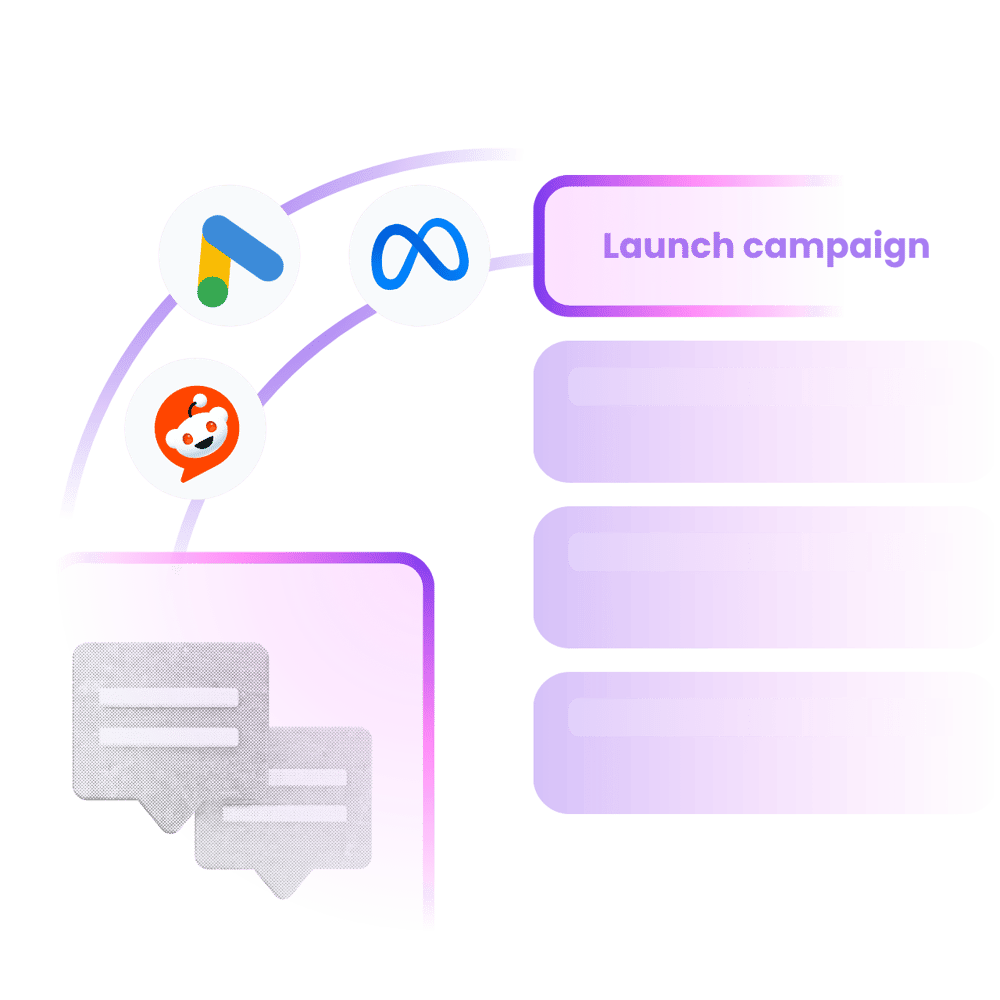











"I'm not a technical person, but I was able to get AdKit set up really quickly! I use it for competitor research and managing Meta campaigns, and it's made the whole process much much faster. I connected it to Giga, my AI co-pilot in Slack, and was able to launch a campaign directly from there. Super!"

What Muse can do with AdKit:

 Muse
MuseLaunch these ads on all platforms in my testing campaigns
Done! Your ads are live on 6 platforms.
[ Ads Launcher ]
Launch ads in seconds, not hours
Describe the campaign once and Muse drafts it for Google, TikTok, LinkedIn, Reddit, X and Microsoft through AdKit, next to the Meta ads it already reaches. No ad manager opens.
 Muse
MuseHow are my Google Ads doing this week?
Here's your 7-day Google Ads overview.
Spend
$2,847
CTR
3.2%
ROAS
4.1x
[ Analyze Ads ]
Analyze results in seconds
Ask Muse what every platform did this week. It pulls spend, conversions and cost per result into one answer, then tells you which campaigns to touch.
 Muse
MuseShow me what Stripe is running right now
Found 127 active ads from Stripe. Here are the latest:
[ Ad Library ]
Find your next winning ad
Muse can pull a competitor's live ads from a 500k+ library across Meta, Google and LinkedIn, and flag new launches so you see them first.
 Muse
MuseResize this ad for all placements
Done! Created 3 variants from your original.
[ Ads Creation ]
Create new ads, fast
Muse generates creatives in Studio from a prompt: clone a competitor's winner, resize it for every placement, keep your brand consistent.
"AdKit is such a good product. Onboarding, their MCP, everything works super smoothly!"

Robert Ligthart
Founder of OmniSocials
Ad Managers are wasting your time.
- Muse reads your Meta ad account, then you log into Google, TikTok and LinkedIn by hand to finish the picture.
- What did we spend this week, across every platform? Five dashboards, one spreadsheet, an hour gone.
- Launching the same campaign on four platforms means four sets of screens and four chances to typo a budget.
- One misclick pauses the wrong ad or doubles the wrong budget.
- Or hand a raw MCP your accounts and let an agent publish straight to live spend.
- 1. Ask MusePlain English, in the chat you already use for your business.
- 2. Review the draftEvery change lands as a draft in AdKit: campaigns, creatives, budgets.
- 3. Approve to publishYour live accounts only change after you say yes.
Connect Muse to your ad accounts in 3 steps
Connect Muse to your ads
Link your ad accounts to AdKit, then connect Claude via MCP or CLI. Takes about two minutes.
Google Ads
2 campaigns
Meta Ads
5 campaigns
TikTok Ads
Connect...
Reddit Ads
Connect...
LinkedIn Ads
Connect...
X Ads
Connect...
Tell Muse what to do
Ask Muse to launch a campaign, pause an ad, or check your results. It drafts every change for you.
MusePause my worst-performing ads and show me what's working
I found 3 underperforming ads. I've drafted pause actions for each. You just need to approve it.
Review and approve
Every change sits as a draft in AdKit until you approve it. Nothing goes live without your say.
Pause: Summer Sale
Low CTR · below threshold
Scale: Brand Awareness
Top performer · 3.2x ROAS
Update: Retargeting
New headline copy
"Other tools I found were just small proxies for ad platform APIs. One bad call and you could mess up a live campaign. What I like about AdKit is that everything goes through a draft first. I review before anything goes live. That "buffer" between your agent and Meta is what makes it safe to use."
People like you love AdKit:
Founders & Solopreneurs
You're growing a product and don't have the budget for an agency. You want to run ads yourself without spending your week in Ad Managers UI.
Agencies & Media buyers
You run multiple ad accounts and want a way to manage them faster. 10 accounts = 10x the same work, and every hour wasted in ad managers is time you'll never get back.
Growth Marketers
You already do most of your work with AI agents. Ads should work the same way, not force you into a separate tool with its own learning curve.
Brand Managers
You need to easily keep track of what competitors are doing and get ideas. AdKit lets you track your competitors across platforms and search 500k+.
But I heard...
...letting Muse run my ads is risky 😰
Muse never touches your live accounts through AdKit. Every change it requests waits as a draft in your AdKit dashboard until you click approve, and Muse itself asks before important actions by default.
...MCPs will get my account flagged 😱
Most ads MCPs connect to platforms without being approved, and one bad call can get you flagged. AdKit is an officially approved Meta and Google tech partner, so every action takes the official path.
...setting up a Muse connector is too technical 😳
It's one message. Paste the setup prompt into Muse, approve the sign-in link it sends back, done. Meta doesn't list AdKit in the connector directory yet, so Muse adds it as a custom connector on its own. If you get stuck, the founder is here to help!
It's cheaper than wasting your time!
Single Project
Every AdKit tool (ads library, AI studio, and MCP) for one brand.
$49
per month
Everything you need:
- Multi-platform Ad Library
- Competitor Tracking
- Activity Alerts
- AI Ads Generator & Cloner
- Swipe File
- 1 Project
- 1 ad account on each platform
- MCP Access for AI Agentsnew
Multiple Projects
Unlimited brands, ad accounts, and creative analytics (soon).
$97
per month
Everything you need:
- Multi-platform Ad Library
- Competitor Tracking
- Activity Alerts
- AI Ads Generator & Cloner
- Swipe File
- Unlimited Projects
- Unlimited ad accounts
- MCP Access for AI Agentsnew
- Creative Analyticssoon
"If you've ever tried any other MCP, you'll quickly realize that they might give you access to your data, but the moment you start creating campaigns, everything will break. Adkit created something that just works like magic."
Get ad-manager hours back
- 3h3 hours saved every week
Daily ad checks, draft reviews, creative iteration, all handled from chat.
- 5252 weeks a year
This isn't a one-time cleanup. It's what your week looks like from now on.
- 100%100% deep work
The part of your job you actually got into marketing for.
saved every year
(3h/week x 52 weeks)
Those are hours you get back to spend on strategy, creative, and the parts of the job you care about.
Skip the manual duplicate, edit, publish loop across every platform. Get the busywork off your plate so you can spend your week on strategy and copy.
Clone a competitor's winner or resize existing ads for new placements without waiting on a designer.
Your agent flags losers early and drafts replacements from what's actually working, so less budget gets burned on creatives you already killed.
Is AdKit the right fit for you?
🎯 AdKit is made for you if...
- You're sick of wasting 2+ hours a week clicking around ad manager UIs to duplicate, edit, and publish the same stuff.
- You've wanted to run ads for a while but the interfaces put you off. You want to launch, see results, and iterate, not learn a horrible UI.
- You already use AI agents for work and you want ads to work the same way.
- You run ads for multiple brands or clients and every hour in ad managers is margin you're never getting back.
- You want to spend your time on strategy, copy, and creative. Not on which dropdown your ad platform hid this week.
- You want an assistant that drafts, researches, and flags what to kill while you keep the final call.
🚫 But it might not be a good fit if...
- You expect it to fix your marketing magically
Good ads still need good thinking. AdKit can save you hours but it can't save you from bad marketing.
- You don't have a product people already pay for
Ads amplify what's already there, they won't fix a bad product.
AdKit vs other MCPs vs the ad manager
  | Other MCP servers | Ad manager UIs | |
|---|---|---|---|
| Platforms | Meta, Google, TikTok, LinkedIn, X, and Reddit from one server. | Usually one platform per server. Need a different setup for each. | Log into each ad manager separately. |
| Safety | Changes are saved as drafts. Nothing goes live until you approve. | Most servers write directly to your live ad account. | You click the buttons, so mistakes are yours to catch. |
| Setup | Connect your ad accounts and start managing from your agent in minutes. | Install the server, set up API credentials, connect to your agent. | No setup needed. You already have your ad manager logins. |
| Competitor research | Ask your agent to pull competitor ads from a library of 500k+ creatives. | Not available. | Open each platform's ad library and search manually. |
| Reporting | Ask your agent how your campaigns are doing across all platforms. | Your agent can pull numbers, but only from one platform at a time. | Log into each platform and check the dashboards yourself. |
Compatible with:












Your full ad workflow, in one place
Research
Find what's working right now
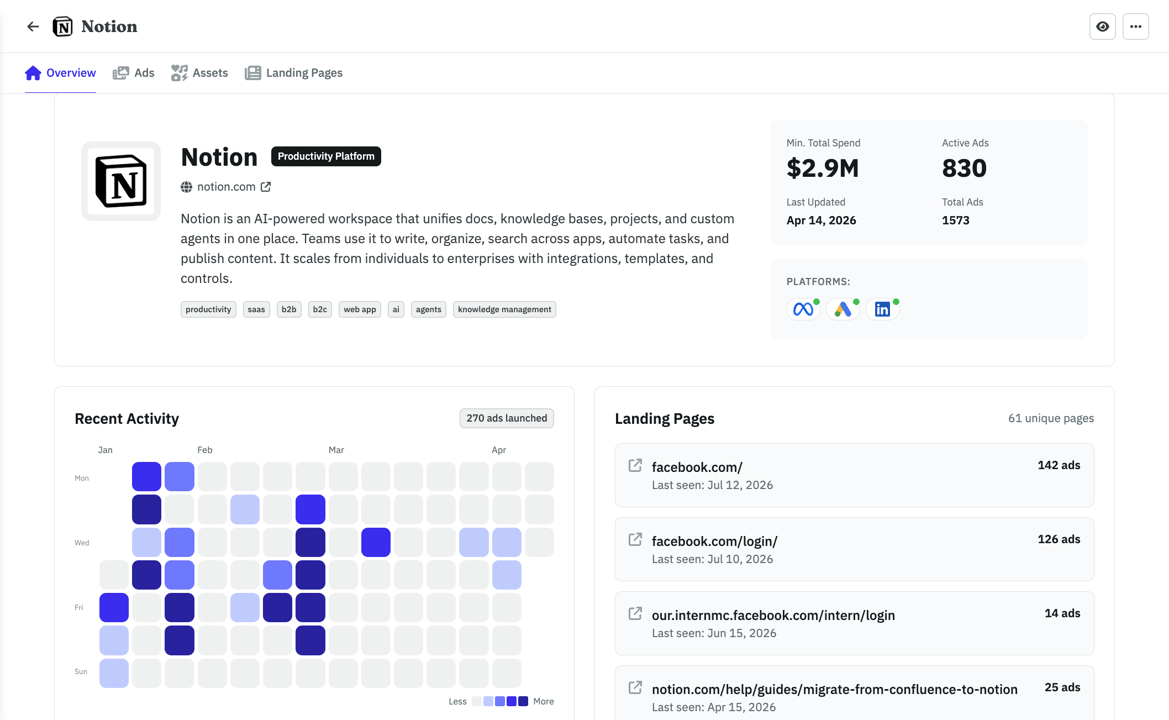
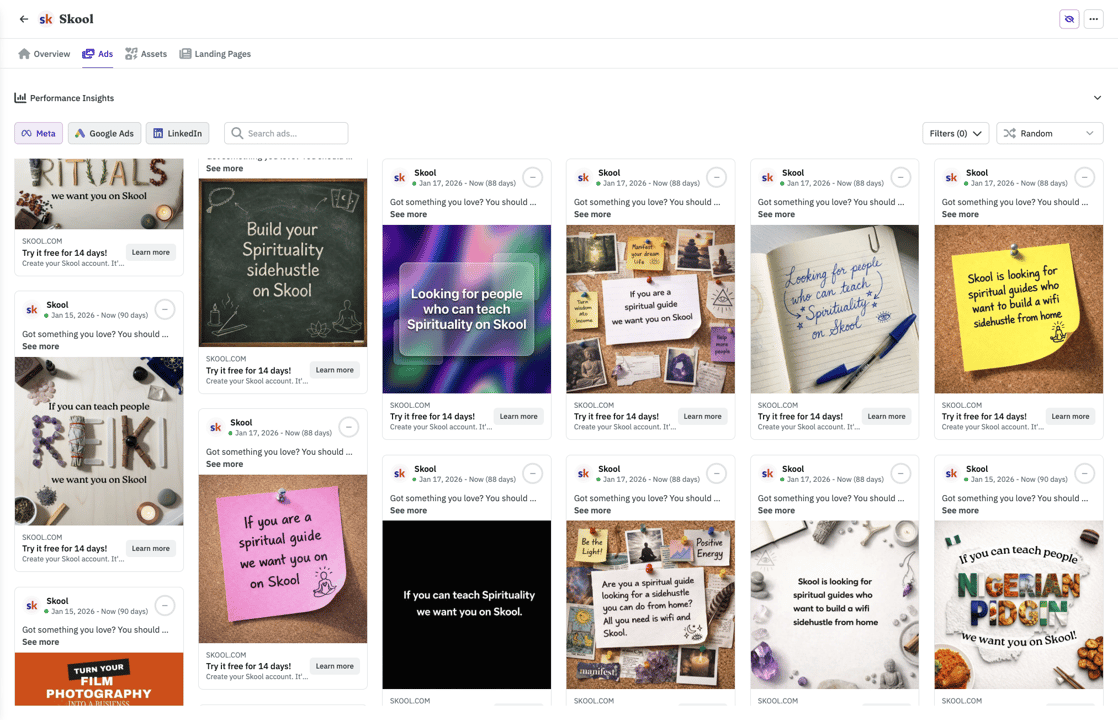
Browse 500k+ ads or import your competitors. Filter by vertical so you see businesses like yours.
- Competitors tracked across Meta, Google, and LinkedIn automatically
- See which ads are evergreens vs. tests your competitors already killed
- Weekly digest in your inbox. No more scrolling ad libraries.
With your agent
MuseWhat's the ad Notion has been running the longest?
Their Postit style ad has been live 142 days, it points to their top landing page (126 ads running to it). Want me to save the creative and LP to your swipe file?
Frequently asked questions
Ready to manage ads from Muse?
One custom connector and Muse runs your Google, TikTok, LinkedIn, Reddit, X and Microsoft ads next to Meta: competitor ads, creatives, launches, reports. Every change waits for your approval.