



Run your LinkedIn Ads from  Codex directly
The safest way to connect Codex to LinkedIn Ads
AdKit is the safest way to connect Codex to your LinkedIn Ads account. Queue a task and Codex builds professional audiences, launches Sponsored Content, cuts the job titles wasting spend, and writes your weekly report. Every change waits as a draft until you approve it.
Codex CLI












"I'm not a technical person, but I was able to get AdKit set up really quickly! I use it for competitor research and managing Meta campaigns, and it's made the whole process much much faster. I connected it to Giga, my AI co-pilot in Slack, and was able to launch a campaign directly from there. Super!"

What Codex can do with your LinkedIn Ads

 Codex
CodexQueue a task: launch Sponsored Content for the 4 carousel creatives in /assets, target Directors and VPs of Engineering at companies over 500 employees, $150/day, lead gen objective.
Queued. Draft ready: 1 campaign, 4 ads, Director/VP Engineering targeting at $150/day. Check AdKit when you're back.
[ Launch Campaigns ]
Queue a launch and walk away
Drop your creatives in the repo, tell Codex who to reach, and close the terminal. It drafts the campaign, targeting, and budget while you work on something else. Nothing goes live until you approve it.
 Codex
CodexWrite my weekly LinkedIn report for the client — spend, leads, what's working.
Here's the week, ready to send:
Weekly LinkedIn Ads Report
Jun 23 – Jun 29
Spend
$4.2k
+8%
Leads
52
+15%
CPL
$81
-6%
Cost per lead down 6% week over week
Best audience: VPs of Sales at $61 per lead
[ Reporting ]
Wake up to a finished report
Queue the report task before you log off. Codex pulls spend, leads, cost per lead, and what changed overnight, formatted for a Slack update or a client email. No dashboard tab left open.
 Codex
CodexBreak down my Sponsored Content campaign by job title. Which titles are wasting spend?
Two titles are clicking but not converting. Here's the breakdown:
Exclude 2 job titles
Drafted — approve to apply
[ Cut Waste ]
Find the job titles burning budget
Queue the demographics sweep and Codex ranks every job title by cost per lead in the background. Come back to a list of exclusions ready for your approval, not a raw export.
 Codex
CodexBuild me an audience: marketing managers and up, at SaaS companies with 50–500 people.
Assembled it with every seniority tier:
Job titles
Company
Exclude
[ Build Audiences ]
Batch the whole audience build
Ad Manager makes you add job titles one at a time. Give Codex the brief once and it assembles the full targeting spec, then shows estimated reach before you spend a dollar.
CodexPause any ad group over $120 CPL, and relaunch the 'Enterprise Q3' campaign — it stopped delivering yesterday.
Two moves drafted for approval:
Pause 'Demand Gen — Broad' ad group
CPL hit $148, above your $120 cap
Relaunch 'Enterprise Q3' campaign
Lifetime budget exhausted — reset and resume delivery
[ Budget Control ]
Let Codex watch spend while you don't
LinkedIn can overspend your daily budget by up to 50%, and campaigns can switch themselves off overnight. Queue a standing task and Codex drafts the pause or the relaunch the moment it happens.
"AdKit is such a good product. Onboarding, their MCP, everything works super smoothly!"

Robert Ligthart
Founder of OmniSocials
LinkedIn Ad Manager is wasting your time.
- Build audiences by hand, adding job titles one at a time
- Babysit budgets that overspend or campaigns that die overnight
- Export CSVs and build the same client report every Monday
- ...or use other MCPs that have no guardrails and break your account
- 1. Give Codex a taskOne prompt. 'Build my target audience' or 'cut the titles wasting spend', just like a code task.
- 2. Review the draftEvery campaign, audience, and budget change lands in AdKit as a draft. Inspect it before LinkedIn sees a thing.
- 3. Publish when readyApprove and the draft ships to LinkedIn Ads. Your live campaigns stay frozen until you sign off.
Connect Codex to your ad accounts in 3 steps
Connect Codex to your ads
Link your ad accounts to AdKit, then connect Claude via MCP or CLI. Takes about two minutes.
Google Ads
2 campaigns
Meta Ads
5 campaigns
TikTok Ads
Connect...
Reddit Ads
Connect...
LinkedIn Ads
Connect...
X Ads
Connect...
Tell Codex what to do
Ask Codex to launch a campaign, pause an ad, or check your results. It drafts every change for you.
CodexPause my worst-performing ads and show me what's working
I found 3 underperforming ads. I've drafted pause actions for each. You just need to approve it.
Review and approve
Every change sits as a draft in AdKit until you approve it. Nothing goes live without your say.
Pause: Summer Sale
Low CTR · below threshold
Scale: Brand Awareness
Top performer · 3.2x ROAS
Update: Retargeting
New headline copy
"Other tools I found were just small proxies for ad platform APIs. One bad call and you could mess up a live campaign. What I like about AdKit is that everything goes through a draft first. I review before anything goes live. That "buffer" between your agent and Meta is what makes it safe to use."
People like you love AdKit:
Founders & Solopreneurs
You're growing a product and don't have the budget for an agency. You want to run ads yourself without spending your week in Ad Managers UI.
Agencies & Media buyers
You run multiple ad accounts and want a way to manage them faster. 10 accounts = 10x the same work, and every hour wasted in ad managers is time you'll never get back.
Growth Marketers
You already do most of your work with AI agents. Ads should work the same way, not force you into a separate tool with its own learning curve.
Brand Managers
You need to easily keep track of what competitors are doing and get ideas. AdKit lets you track your competitors across platforms and search 1M+.
But I heard...
...I queue tasks and don't watch them run, that feels risky for ad spend 😰
It would be, without the draft layer. Codex finishes a task and the campaign, audience, or budget change sits as a draft in AdKit. You review the batch whenever you check back in. Nothing reaches LinkedIn on its own.
...will an autonomous task get my LinkedIn account restricted 😱
Every call runs through LinkedIn's official Marketing API path, with request validation and rate limiting built in. No scraping, no unofficial endpoints, nothing that trips a policy review, whether Codex runs the task now or queues it for later.
...adding a LinkedIn Ads MCP to my Codex setup sounds like a project 😳
It's one config entry. Connect your LinkedIn ad account in AdKit, point Codex at the MCP server address, done. No API keys to rotate, no Marketing API app to register.
...if I queue an audience build and walk away, will Codex guess wrong 🤖
You write the targeting brief once: job titles, seniority, company size, industry. Codex assembles the full spec and shows estimated reach in the draft. You check the numbers before it ever touches a campaign.
Cheaper than the hour it saves you
Single Project
Every AdKit tool (ads library, AI studio, and MCP) for one brand.
$49
per month
Everything you need:
- 1 Project
- 1 ad account on each platform
- Multi-platform Ad Library
- Competitor Tracking
- Activity Alerts
- AI Ads Generator & Cloner
- Swipe File
- MCP Access for AI Agents
Multiple Projects
Unlimited brands, ad accounts, and creative analytics (soon).
$97
per month
Everything you need:
- Unlimited Projects
- Unlimited ad accounts
- Multi-platform Ad Library
- Competitor Tracking
- Activity Alerts
- AI Ads Generator & Cloner
- Swipe File
- MCP Access for AI Agents
- Creative Analyticssoon
"If you've ever tried any other MCP, you'll quickly realize that they might give you access to your data, but the moment you start creating campaigns, everything will break. Adkit created something that just works like magic."
Get ad-manager hours back
- 45mAudience build
Write the targeting brief once. Codex handles job titles, seniority tiers, company sizes, and industries while you work on something else.
- 1hClient reporting
Queue the report before you log off. Spend, leads, and cost per lead across every campaign, written up by the time you check back.
- 30mWaste sweep
Queue the demographics pull overnight. Ranked titles and drafted exclusions waiting in AdKit by morning.
saved every year
(3h/week x 52 weeks)
Those are hours you get back to spend on strategy, creative, and the parts of the job you care about.
A queued report and a queued audience build, done in the background instead of on your calendar.
Write the brief once. Job titles, seniority, company size, and industry get assembled while you're on your next task, not forty clicks in Ad Manager.
A queued overnight sweep flags the job titles wasting spend before the demographics report caps out, so less budget burns on titles that never convert.
Is AdKit the right fit for you?
🎯 AdKit is made for you if...
- You run B2B LinkedIn campaigns and you're tired of adding job titles and seniority levels one at a time.
- You'd rather queue a report task before you log off than build the same client deck by hand every Monday.
- You already queue Codex tasks for code and want your ad account managed the same way: batched, reviewed, approved.
- You run LinkedIn ads for multiple brands or clients and every hour in Ad Manager is margin gone.
- You want to spend your time on offers and creative, not on which nested menu LinkedIn buried a setting in.
🚫 But it might not be a good fit if...
- You don't run LinkedIn ads and aren't planning to
AdKit manages ad accounts, it doesn't post to your feed.
- You want tasks to publish on their own with no review step
AdKit is built the opposite way: every queued task ends in a draft, and you approve before it reaches LinkedIn.
- You only need organic LinkedIn scheduling or social management
That's a different tool.
AdKit vs other MCPs vs the ad manager
  | Other MCP servers | Ad manager UIs | |
|---|---|---|---|
| Platforms | Meta, Google, TikTok, LinkedIn, X, and Reddit from one server. | Usually one platform per server. Need a different setup for each. | Log into each ad manager separately. |
| Safety | Changes are saved as drafts. Nothing goes live until you approve. | Most servers write directly to your live ad account. | You click the buttons, so mistakes are yours to catch. |
| Setup | Connect your ad accounts and start managing from your agent in minutes. | Install the server, set up API credentials, connect to your agent. | No setup needed. You already have your ad manager logins. |
| Competitor research | Ask your agent to pull competitor ads from a library of 1M+ creatives. | Not available. | Open each platform's ad library and search manually. |
| Reporting | Ask your agent how your campaigns are doing across all platforms. | Your agent can pull numbers, but only from one platform at a time. | Log into each platform and check the dashboards yourself. |
Compatible with:












Your full ad workflow, in one place
Research
Find what's working right now
Browse 1M+ ads or import your competitors. Filter by vertical so you see businesses like yours.
- Competitors tracked across Meta, Google, and LinkedIn automatically
- See which ads are evergreens vs. tests your competitors already killed
- Weekly digest in your inbox. No more scrolling ad libraries.
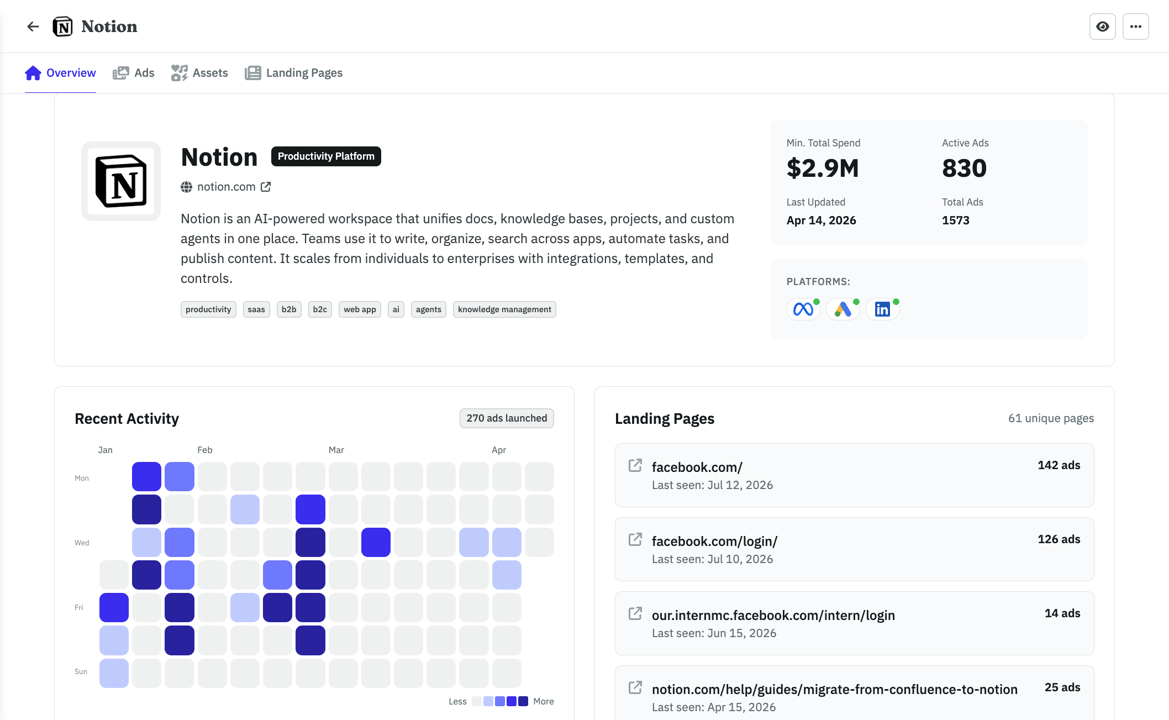
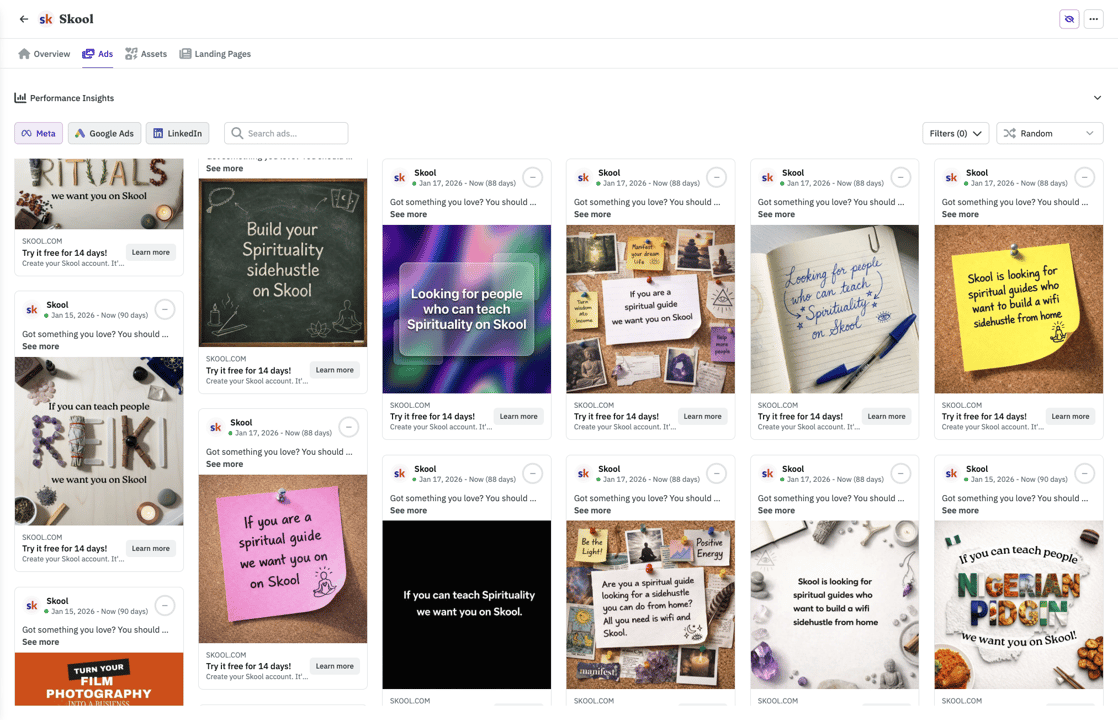
With your agent
CodexWhat's the ad Notion has been running the longest?
Their Postit style ad has been live 142 days, it points to their top landing page (126 ads running to it). Want me to save the creative and LP to your swipe file?
Frequently asked questions
Ready to run LinkedIn Ads from Codex?
Queue the audience build. Queue the waste sweep. Queue the client report. Launch Sponsored Content from a task you set and forget, with every change held for your approval.