


Manage your Microsoft Ads from  Claude directly
The safest way to connect Claude to Microsoft Ads
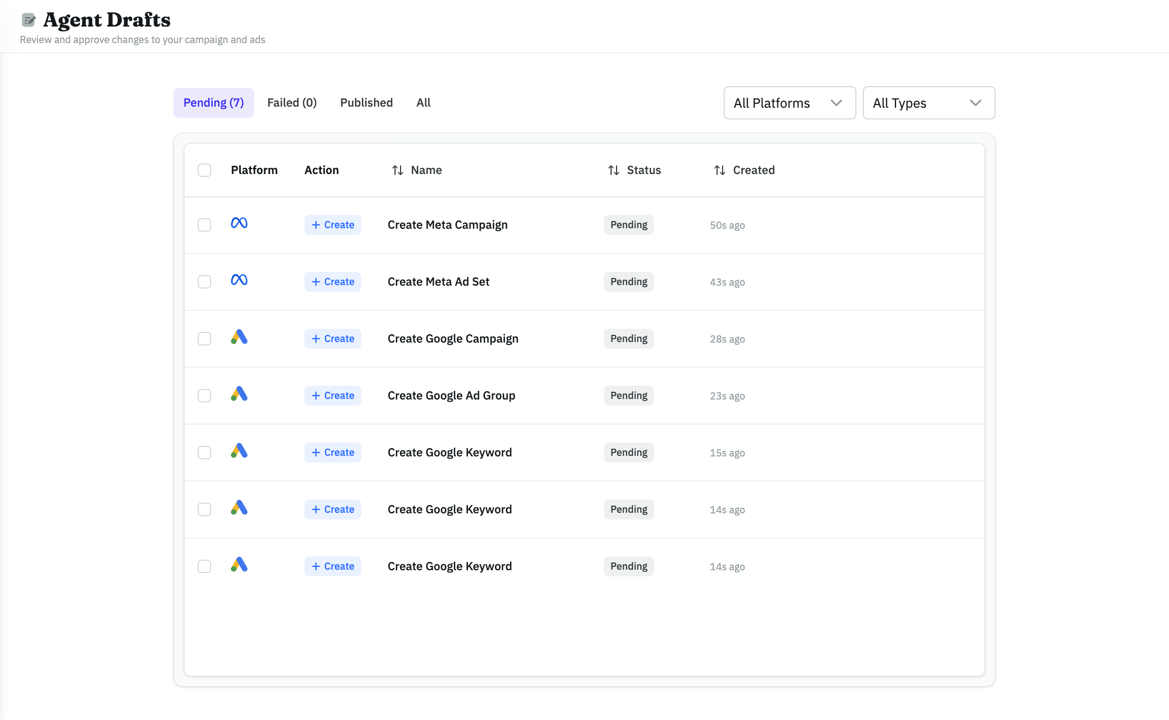
AdKit is the safest way to connect Claude to your Microsoft Advertising account, the one that used to be Bing Ads. Prune keywords, add negatives, fix bids and budgets, and pull reports by prompt. Every change waits as a draft until you approve it.
Claude Claude CodeClaude Cowork












"My agent analyzed my account using Adkit, found what to optimize, and drafted all the changes, I only had to click 'Approve'. The first 30 minutes already saved me 8 hours of work."

What Claude can do with your Microsoft Ads

 Claude
Pause all keywords with CPA above $50 in my Microsoft Search campaigns
On it. One draft per ad group, ready for your approval:
Pausing 6 keywords
CPA above $50, 3 drafts
[ Keyword Manager ]
Manage Microsoft Ads keywords in bulk
Tell Claude to pause the keywords over your CPA cap, add negatives, or change match types across your Search campaigns. It drafts the changes, one draft per ad group, and you approve them together instead of editing keywords one by one.
 Claude
Which Bing keywords are wasting budget this month?
Found 3 keywords with CPA above target:
[ Analyze Ads ]
Find the keywords that waste budget
Ask Claude which keywords spend without converting. It runs the Microsoft report, reads it, and lists the keywords above your target with the cost of each one. Reports run straight away, with nothing to approve.
 Claude
Compare my Search campaigns on Microsoft and Google for the last 7 days
Here are the two accounts for the last 7 days:
Bing CPC
$1.51
Google CPC
$2.38
Bing CPA
$29
[ Google and Microsoft ]
Compare Bing with Google in the same chat
One AdKit connector covers both accounts. Ask Claude to put the two side by side: spend, CPC, and cost per conversion for the same campaigns. You see where the imported campaigns drifted from the Google originals.
 Claude
Put together a weekly Microsoft Ads report I can send to the team
Here's the week, ready to send:
Weekly Microsoft Ads Report
Last 7 days
Spend
$2.1k
+8%
CPC
$1.51
-6%
CPA
$29
-9%
Cost per conversion down 9% week over week
Best campaign: Search, Brand at $11 per conversion
[ Reporting ]
A weekly Bing report, written from the account
Ask Claude for the week. It pulls spend, clicks, CPC, and conversions for every campaign, day by day if you want, then writes the summary in plain English. Reading your numbers changes nothing in your live account.
ClaudePause any keyword over $50 CPA, and lower the 'Search, Brand' budget to $60/day
Two moves drafted for approval:
Pause 'crm software' keyword
CPA hit $142, above your $50 cap
Set 'Search, Brand' to $60/day
Daily budget lowered from $80
[ Budget Control ]
Keep your ad spend under control
A keyword that stopped converting keeps spending until someone looks. Ask Claude to check the keywords and the campaign budgets, and it drafts the pause or the new daily budget for your approval.
"AdKit is such a good product. Onboarding, their MCP, everything works super smoothly!"

Robert Ligthart
Founder of OmniSocials
Microsoft Advertising is wasting your time.
- Import your Google campaigns once, then leave the keywords and bids untouched for months.
- Log in to a second ad manager to repeat the negative keyword cleanup you just did on Google.
- Export the search terms report and scan hundreds of rows for wasted spend.
- Change bids and match types one keyword at a time.
- Or wait for Microsoft's own MCP, which is read-only and waitlisted, and keep making every change by hand.
- 1. Connect Microsoft onceSign in to Microsoft in AdKit. A workspace admin turns on Advanced Platform Access for the project.
- 2. Tell Claude what you wantOne prompt, plain English. 'Cut my worst keywords' or 'add these negatives to every Search campaign'.
- 3. Review the draftEvery campaign, keyword, and bid change lands in AdKit as a draft. Inspect it before Microsoft sees a thing.
- 4. Publish when readyApprove one draft or all of them together. Microsoft gets only the ones you approved.
Connect Claude to your ad accounts in 3 steps
Connect Claude to your ads
Link your ad accounts to AdKit, then connect Claude via MCP or CLI. Takes about two minutes.
Google Ads
2 campaigns
Meta Ads
5 campaigns
TikTok Ads
Connect...
Reddit Ads
Connect...
LinkedIn Ads
Connect...
X Ads
Connect...
Tell Claude what to do
Ask Claude to launch a campaign, pause an ad, or check your results. It drafts every change for you.
ClaudePause my worst-performing ads and show me what's working
I found 3 underperforming ads. I've drafted pause actions for each. You just need to approve it.
Review and approve
Every change sits as a draft in AdKit until you approve it. Nothing goes live without your say.
Pause: Summer Sale
Low CTR · below threshold
Scale: Brand Awareness
Top performer · 3.2x ROAS
Update: Retargeting
New headline copy
"Other tools I found were just small proxies for ad platform APIs. One bad call and you could mess up a live campaign. What I like about AdKit is that everything goes through a draft first. I review before anything goes live. That "buffer" between your agent and Meta is what makes it safe to use."
People like you love AdKit:
Founders & Solopreneurs
You're growing a product and don't have the budget for an agency. You want to run ads yourself without spending your week in Ad Managers UI.
Agencies & Media buyers
You run multiple ad accounts and want a way to manage them faster. 10 accounts = 10x the same work, and every hour wasted in ad managers is time you'll never get back.
Growth Marketers
You already do most of your work with AI agents. Ads should work the same way, not force you into a separate tool with its own learning curve.
Brand Managers
You need to easily keep track of what competitors are doing and get ideas. AdKit lets you track your competitors across platforms and search 1M+.
But I heard...
...this will get my Microsoft Ads account flagged 😰
AdKit sends every request to Microsoft's own Bing Ads API, version 13, with the sign-in you approve on Microsoft's page.
...letting Claude touch live campaigns is risky 😱
That is exactly why every change is a draft first. Campaigns, keywords, bids, and budgets sit in your AdKit dashboard until you click approve. Your live account never moves without your sign-off.
...I already added AdKit to Claude for Google Ads 😳
Then there is nothing to add in Claude. One AdKit connector covers every platform. Connect your Microsoft login in AdKit, have an admin turn on Advanced Platform Access, and the chat you use for Google reaches the Bing account too.
It's cheaper than wasting your time!
Single Project
Every AdKit tool (ads library, AI studio, and MCP) for one brand.
$49
per month
Everything you need:
- 1 Project
- 1 ad account on each platform
- Multi-platform Ad Library
- Competitor Tracking
- Activity Alerts
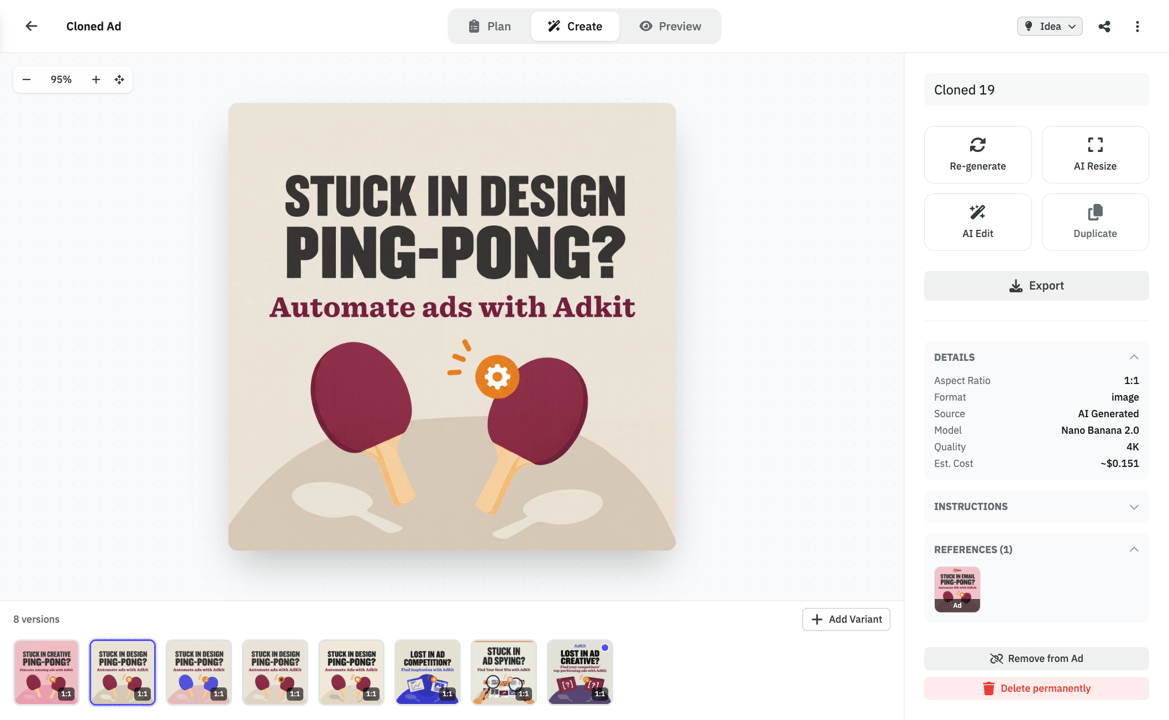
- AI Ads Generator & Cloner
- Swipe File
- MCP Access for AI Agents
Multiple Projects
Unlimited brands, ad accounts, and creative analytics (soon).
$97
per month
Everything you need:
- Unlimited Projects
- Unlimited ad accounts
- Multi-platform Ad Library
- Competitor Tracking
- Activity Alerts
- AI Ads Generator & Cloner
- Swipe File
- MCP Access for AI Agents
- Creative Analyticssoon
"If you've ever tried any other MCP, you'll quickly realize that they might give you access to your data, but the moment you start creating campaigns, everything will break. Adkit created something that just works like magic."
Is AdKit the right fit for you?
🎯 AdKit is made for you if...
- You run Microsoft Ads next to Google Ads and the Microsoft account gets the leftover attention.
- You imported your Google campaigns and have not touched the keywords or bids since.
- You already ask Claude about your Google Ads account and want the same questions answered for Bing.
- You manage Microsoft Ads for several clients, and each account is an import nobody has reviewed.
- You know Google Ads well and lose time finding the same report in Microsoft's menus.
- You are happy to read each draft before you approve it.
🚫 But it might not be a good fit if...
- You need to manage billing or create ad accounts
Account and billing management stay in Microsoft Advertising. AdKit works on the ad accounts you already have.
- You upload customer lists as audiences
Audience list uploads are not available through AdKit.
- You want to browse competitors' Bing ads
The AdKit ad library covers Meta, Google, and LinkedIn. It does not cover Microsoft.
- You want changes to go live without a review
AdKit works the other way: every change waits for your approval.
AdKit vs other MCPs vs the ad manager
  | Other MCP servers | Ad manager UIs | |
|---|---|---|---|
| Platforms | Meta, Google, TikTok, LinkedIn, X, Reddit, Microsoft, Pinterest, and ChatGPT Ads from one server. | Usually one platform per server. Need a different setup for each. | Log into each ad manager separately. |
| Safety | Every change is a draft you approve. You control access per ad account: read-only, drafts, or full access. | Most servers write directly to your live ad account. | You click the buttons, so mistakes are yours to catch. |
| Setup | Log in from your browser and connect your ad accounts. No API keys, tokens, or developer app to set up. | Install the server, set up API credentials, connect to your agent. | No setup needed. You already have your ad manager logins. |
| Team access | Give each team member Admin, Write, or Read-only access, and only the projects they need. | Usually one API key with full access, shared by whoever uses it. | Set roles separately in each ad platform. |
| Competitor research | Ask your agent to pull competitor ads from a library of 1M+ creatives. | Not available. | Open each platform's ad library and search manually. |
| Reporting | Ask your agent how your campaigns are doing across all platforms. | Your agent can pull numbers, but only from one platform at a time. | Log into each platform and check the dashboards yourself. |
Compatible with:











Your full ad workflow, in one place
Research
Find what's working right now
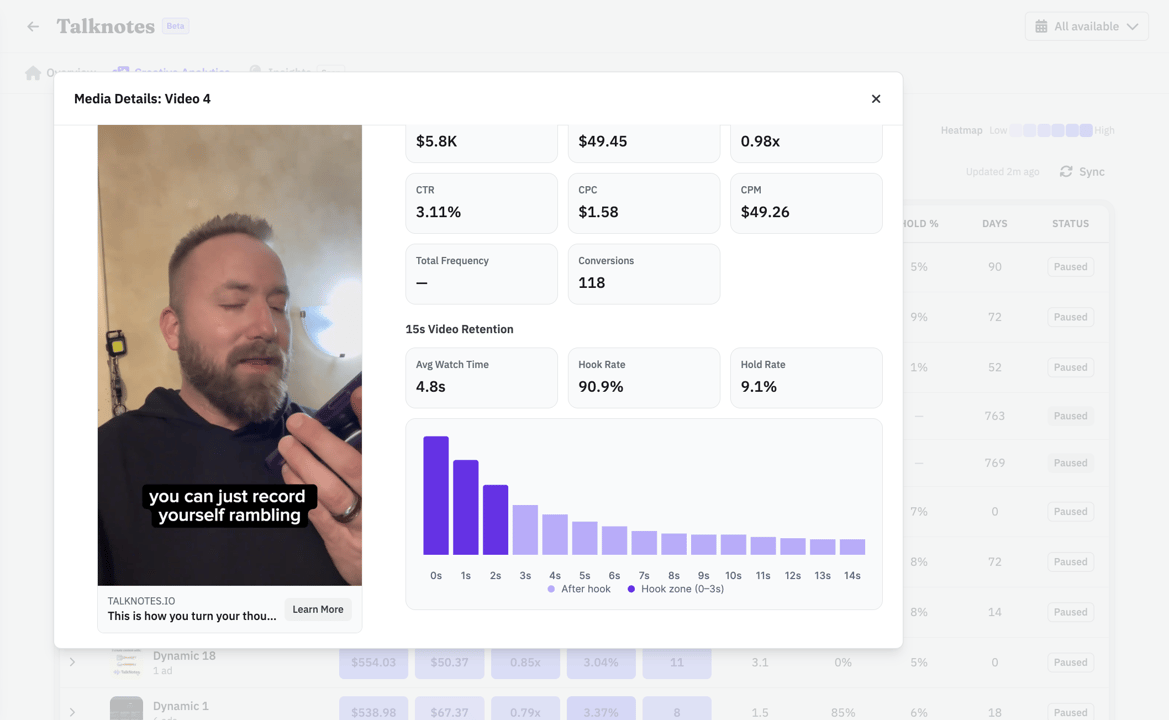
Browse 1M+ ads or import your competitors. Filter by vertical so you see businesses like yours.
- Competitors tracked across Meta, Google, and LinkedIn automatically
- See which ads are evergreens vs. tests your competitors already killed
- Weekly digest in your inbox. No more scrolling ad libraries.
With your agent
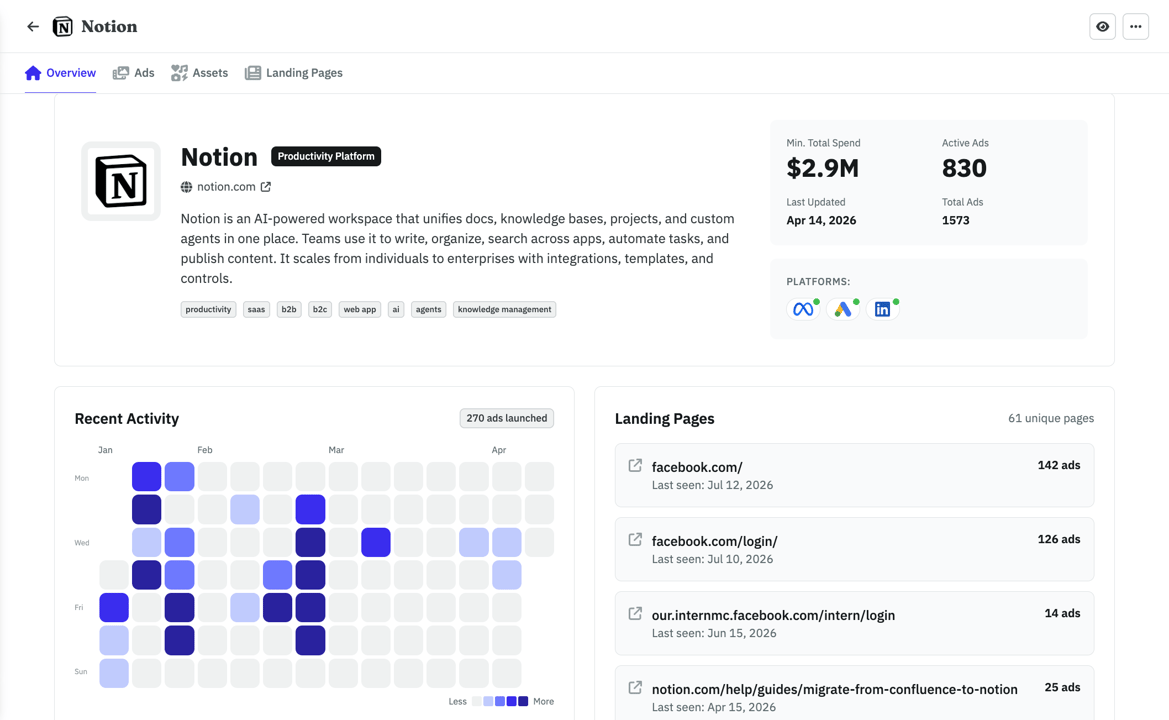
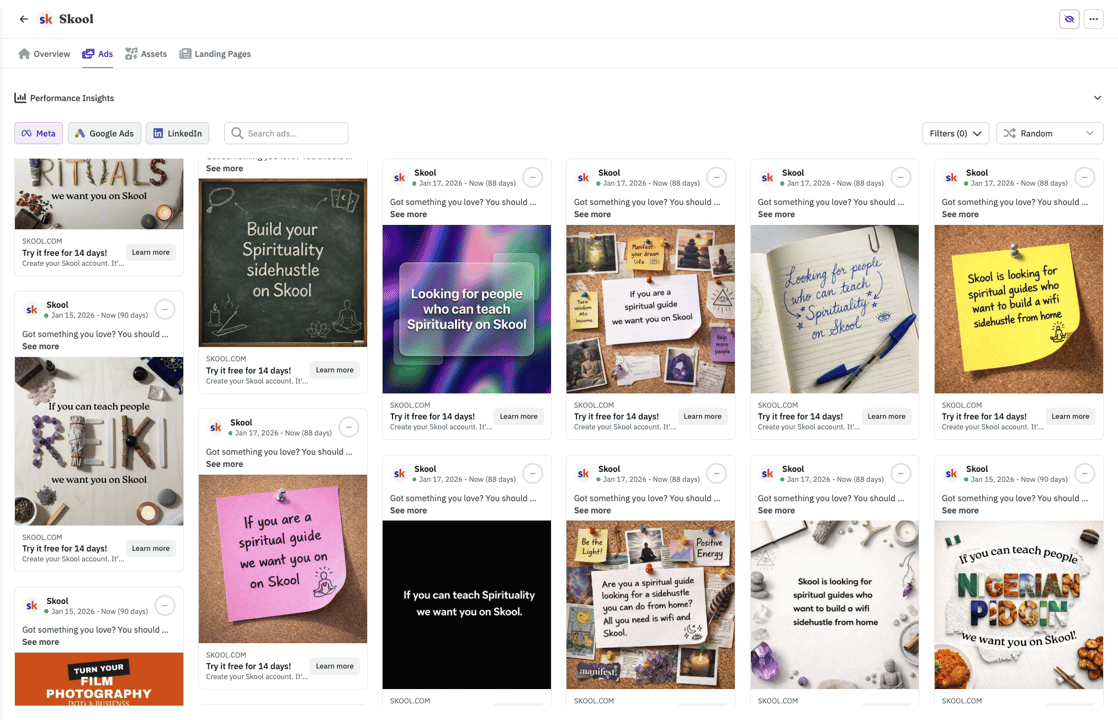
ClaudeWhat's the ad Notion has been running the longest?
Their Postit style ad has been live 142 days, it points to their top landing page (126 ads running to it). Want me to save the creative and LP to your swipe file?
Frequently asked questions
Yes, through AdKit. Claude reads your campaigns and reports, and prepares changes to campaigns, ad groups, keywords and match types, negative keywords, bids, budgets, and responsive search ads. You approve each change in AdKit before Microsoft gets it. A new campaign is built in steps: Claude drafts the campaign, and after you approve it, drafts the ad groups, keywords, and ads inside it.
Yes. Claude asks Microsoft for the search terms or keyword report and reads the result in the chat. A report only reads your account, so it runs at once with nothing to approve. On a large account, ask for a shorter date range or one campaign at a time: a report that is too big is refused, and Claude does not get a partial one.
Three steps. Connect your Microsoft login in AdKit and assign the ad account to a project. A workspace admin turns on Advanced Platform Access under Agent Permissions for that project. Then add AdKit from Claude's connector directory and switch it on in a chat. No API keys. The same connector works in Claude on the web, the desktop app, and Claude Cowork. Claude Code has its own setup guide in the AdKit docs.
Microsoft Ads is in beta in AdKit. AdKit has no built-in Microsoft campaign tools yet, so Claude sends requests in the format of Microsoft's own API. Advanced Platform Access is the project setting that allows this. It is off by default, and a workspace admin turns it on under Agent Permissions. Changes still wait as drafts, but AdKit does not check the values inside them, so read the bids and budgets before you approve.
Yes. Microsoft Advertising is the platform formerly called Bing Ads (renamed in 2019). Your ads still run across the Bing search network, plus Copilot, Edge, and Microsoft's partner network. AdKit connects to the same account you already advertise from.
Yes. Microsoft announced one in June 2026. It is read-only and still in a waitlisted pilot: it can browse accounts, campaigns, and keywords, but it can't create campaigns, change bids, or manage keywords. With AdKit, Claude prepares those changes and each one waits for your approval.
Yes. Many advertisers copy their Google campaigns to Microsoft with the built-in import. Claude manages those imported campaigns like any other, so it can change keywords, bids, and budgets on the Microsoft side without touching Google. With both accounts connected, Claude can also compare the two.
Search, Shopping, and Audience campaigns. Claude can work on campaigns, ad groups, keywords, negative keywords, responsive search ads, bids, and budgets. AdKit cannot upload images to Microsoft yet, so new image ads for Audience campaigns are made in Microsoft Advertising. Account and billing management and audience list uploads are not available.
A paid one: Pro, Max, Team, or Enterprise. The free tier has no custom connectors. On Team and Enterprise, a Claude admin adds the AdKit connector for the workspace first. A connector you added on a personal account does not show up in a workspace chat.
Yes, with one setting to know. You sign in on Microsoft's own page, and AdKit never sees your password. Claude's changes are saved as drafts. A new project lets Claude publish a draft when you tell it to in the chat. Set the project to Draft only under Agent Permissions if you want every publish to be your own click in AdKit.
This happens when your Microsoft Advertising login is a work email that signs in through Google. On Microsoft's sign-in screen, pick 'Microsoft account' and enter your work email. Microsoft then sends you to Google to log in as usual.
Ready to run Microsoft Ads from Claude?
Clean up the keywords. Add the negatives. Compare Bing with Google from one prompt, with every change held for your approval.