


The safe MCP server for Google Ads
Let your AI agents manage your Google Ads for you
Let your agent create Google Ads campaigns, manage keywords and creatives, optimize bids, and analyze results for you. Includes drafts & safeguards so you never mess up your account.
 OpenClaw
 Claude
 ChatGPT
 Perplexity
 Claude Code
 Codex
Codex Cursor
 Gemini CLI
 Hermes
 n8n
n8n MCP Server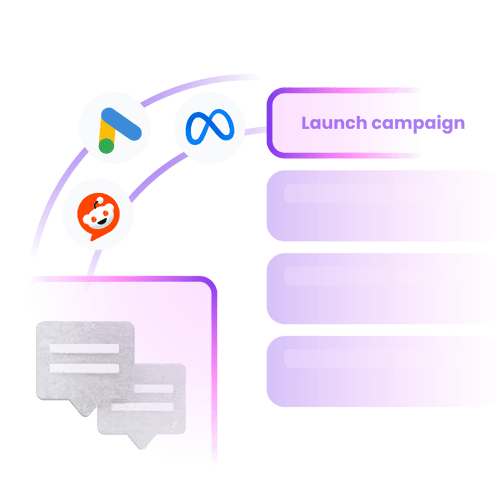

"My agent analyzed my account using Adkit, found what to optimize, and drafted all the changes on its own. I only had to click 'Approve'. The first 30 minutes already saved me 8 hours of work."
Google Ads Manager wasn't built for speed
- Waste hours navigating Google Ads Manager's endless tabs
- Manually research keywords, set bids, adjust match types one by one
- No easy way to spot wasted spend across hundreds of search terms
- ...or use free MCPs that have no guardrails and nuke your campaigns
- 1. Tell your agent what you wantPlain English, one prompt. Your agent handles the rest.
- 2. Review the draftEverything is a draft first. Preview campaigns, keywords, bids, and ads.
- 3. Publish when readyNothing touches your live account until you explicitly approve.
"If you've ever tried any other MCP, you'll quickly realize that they might give you access to your data, but the moment you start creating campaigns, everything will break. And really, Adkit created something that just works like magic."
"What about Google's MCP? Or the free ones?"
There are two ways to connect your AI agent to Google Ads today. Neither is great.
Option 1: Google's official MCP. Built by Google, well-maintained, totally safe. But it can only read. Pull reports, check campaign status, diagnose issues. Ask it to create a campaign or change a bid? It can't.
Option 2: Free, open-source MCPs. These CAN write. But they connect your agent directly to Google's API. No drafts. No validation. No safety layer.
One bad prompt and your bids, campaigns, and budgets get nuked. No undo.
Your Google Ads account isn't disposable. It's years of conversion data, trained bidding algorithms, and optimized audiences. You probably want something between your agent and all of that.
AdKit fills both gaps.
Full read AND write access, with a draft layer in between. Your agent creates campaigns, adjusts bids, manages keywords — and everything becomes a draft first. You review before anything goes live. Your agent never touches your live account directly.
AdKit's API was engineered specifically for AI agents. Built-in error handling, request validation, and rate limiting so your agent doesn't send bad calls to Google. Read + write + safe.
"Other tools I found were just small proxies for ad platform APIs. One bad call and you could mess up a live campaign. What I like about AdKit is that everything goes through a draft first. I review before anything goes live. That "buffer" between your agent and Meta is what makes it safe to use."
Google's MCP vs AdKit
| Capability | Google's MCP | AdKit MCP |
|---|---|---|
| Pull performance reports | ||
| Diagnose campaign issues | ||
| Check campaign status | ||
| Keyword research & suggestions | ||
| Create new campaigns | ||
| Manage keywords & bids | ||
| Create and edit ads | ||
| Pause or enable campaigns | ||
| Draft-first safety layer | ||
| Built-in ad strategy for agents |
Manage your entire Google Ads account from one prompt
Connect your agent
Add one line to your agent config. Works with Claude, Cursor, Windsurf, and any MCP client. Under 2 minutes.
Build campaigns with keywords
Tell your agent what you sell and who you target. It builds campaigns with ad groups, keywords, match types, bids, and responsive search ads. All as drafts.
Review and publish
Preview everything in the AdKit dashboard: keywords, bids, ad copy, budgets. Publish when you're ready. Nothing goes live without you.
Pull analytics and optimize
Your agent fetches CPC, CTR, conversion rates, and Quality Score. Identifies wasted spend, flags low-performing keywords, suggests what to change.
"In my almost 10 years of advertising, I've hated every single second spent on ads managers. I created AdKit so I could spend my time making better ads, not waiting for buggy dashboards to load."
Works with any AI agent
Any MCP or CLI-compatible client. One config line, connected in under 2 minutes.
More than just a Google Ads MCP...
Research
Find what's working right now
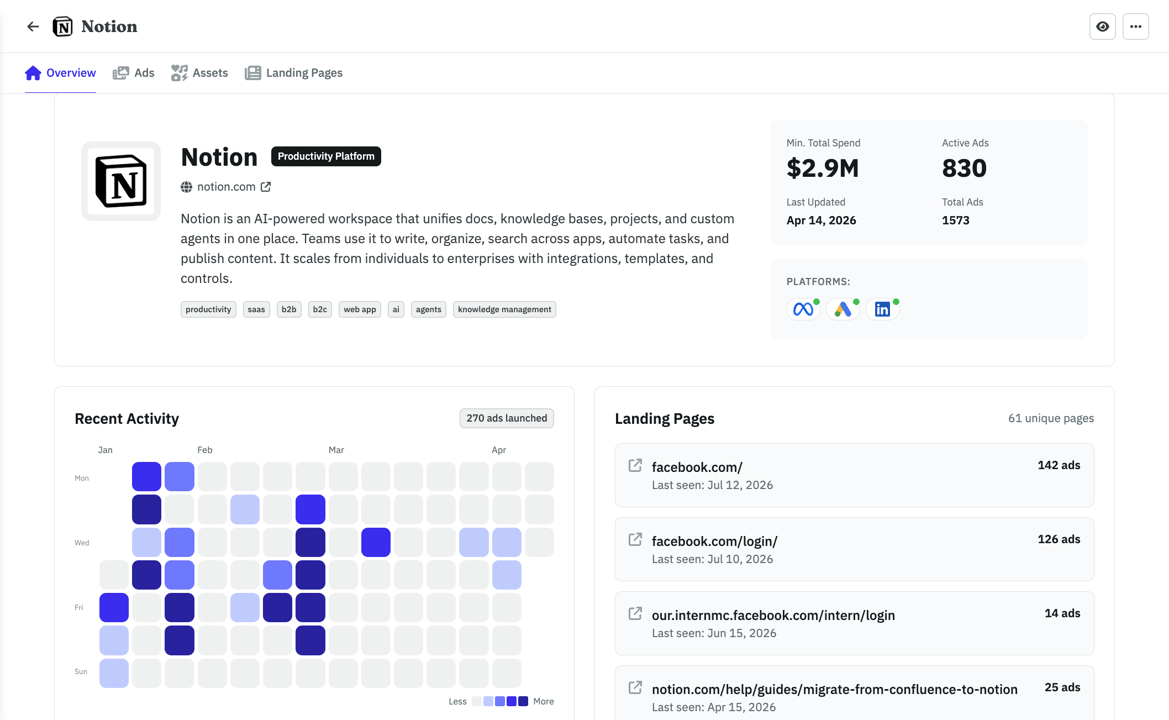
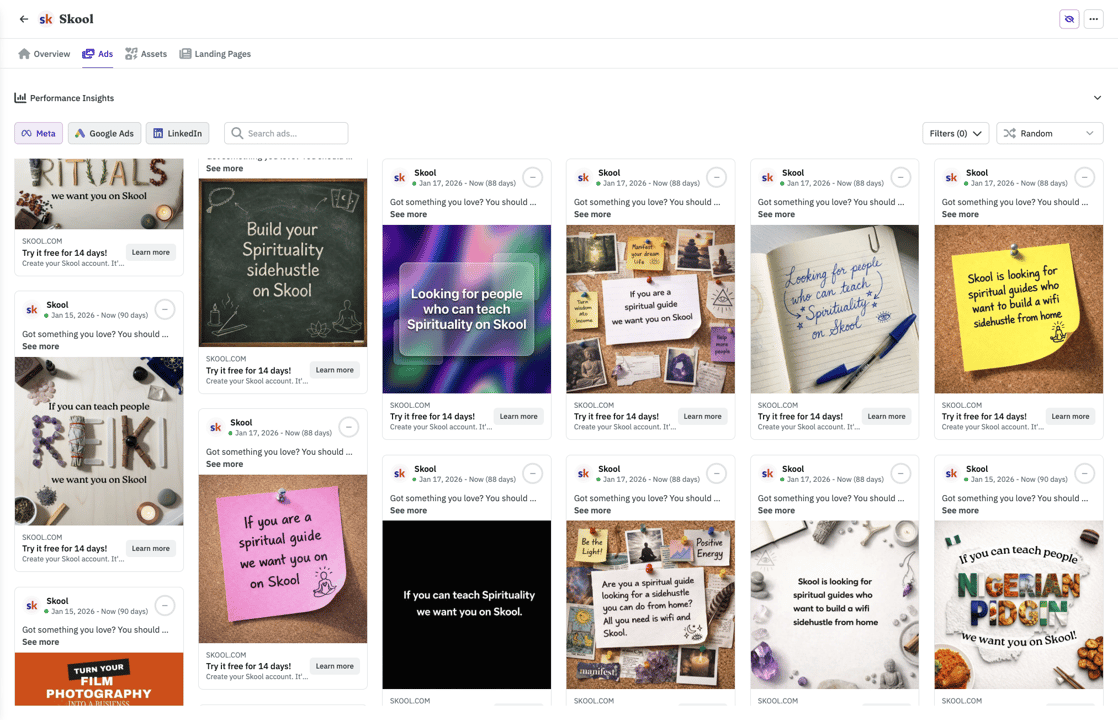
Browse 300,000+ ads or import your competitors. Filter by vertical so you see businesses like yours.
- Competitors tracked across Meta, Google, and LinkedIn automatically
- See which ads are evergreens vs. tests your competitors already killed
- Weekly digest in your inbox. No more scrolling ad libraries.
With your agent
"Now I can use my AI agent for monitoring competitors, creating static ads, publishing them, and analyzing their performance. This has 10x'd my capabilities to iterate on ads."
A word from the founder

Hi there 👋 I'm Nico, the founder of AdKit 😄
Before building startups, I was a media buyer. I managed over $1,000,000 in Ads, sold two startups grown with ads, and helped 1,000+ makers learn Meta Ads through my online guides.
I love ads but... it involves a lot of repetitive, boring work 😩 And I hated every second of it. So I built AdKit to fix that.
To let me and other marketers focus on the fun parts: the strategy, the thinking, the creativity. And not have to waste my time clicking around in buggy interfaces.
It's the app I always dreamed of, and I hope you'll like it too 😀
You're probably wondering...
Every change is a draft by default. Your agent creates campaigns, ad groups, keywords, and ads in AdKit's dashboard. Nothing touches your Google Ads account until you approve it. Review everything before it goes live.
Google's MCP is read-only — it can pull reports and diagnose issues, but it can't create campaigns, change bids, or manage keywords. AdKit gives you full read AND write access, with a draft safety layer in between.
If you can type instructions to Claude or Cursor, you can manage ads. No code, no API keys to configure, no terminal commands required.
Your agent doesn't just get API access.
It gets a playbook.
A free Google Ads Skill for your agents is coming soon, with prompts and guardrails built around how experienced search marketers actually run campaigns. Most MCP servers hand your agent an API key and hope for the best. AdKit gives it structure.
Never wrestle Google Ads Manager again.
Buried settings, endless tabs, confusing bid strategies. Your agent skips it entirely.
"Meta's Business Manager is painfully slow. Go back to campaign, go back to ad set, duplicate, etc, it take hours. So much time burned. With AdKit I just tell Claude what I want and it handles the rest. What used to be 30 minutes takes seconds now"
What running ads with AdKit looks like
Compatible with:











Simple, Transparent Pricing
Dashboard + Agents MCP
Pick this to use your AI agents for Research, Launch and Analysing your ads.
$97
per month
Everything you need:
- Multi-platform Ad Library
- Competitor Tracking
- Activity Alerts
- AI Ads Generator & Cloner
- Swipe File
- MCP Access for AI Agentsnew
- Creative Analyticssoon
- Ads Analysis (25/day)
Got questions? We've got answers
Stop fighting the dashboard. Start shipping ads.
Your next campaign is one prompt away.
Read our full guide to Google Ads MCP