
Upload ad creatives from an AI agent
Give your agent an image or video and ask it to upload the file to Meta, Google, TikTok, LinkedIn, X, or AdKit Studio. The file lands in that platform's media library, ready to use in an ad.
Most agents need a one-time setup before the first upload works. That comes first, then the formats and sizes each platform accepts.
Allow your agent to upload to AdKit
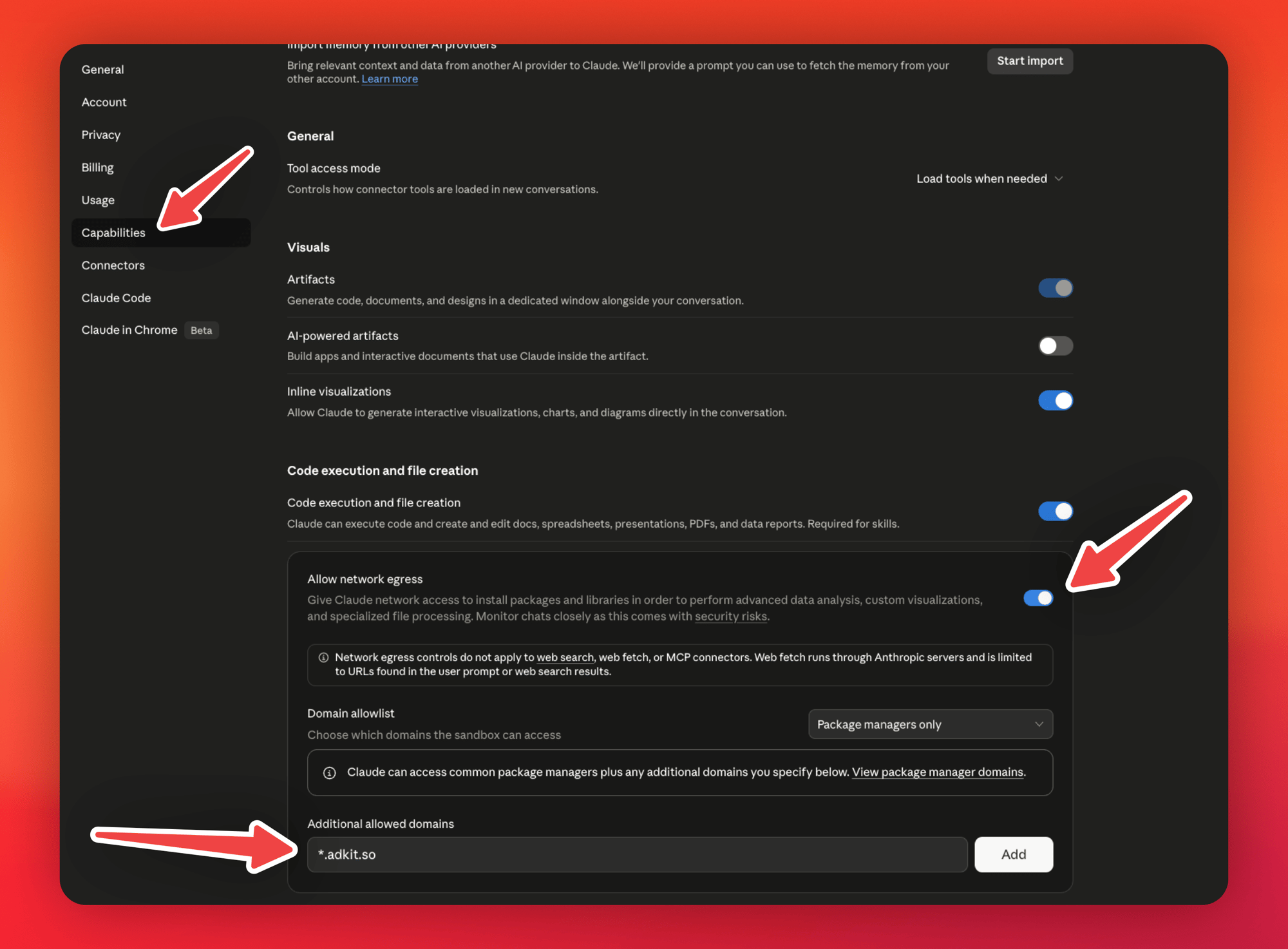
To upload, the agent sends the file to a temporary AdKit upload link. Most agents block that by default: they run in a sandbox that can only contact sites you've approved, so your data can't be sent somewhere you didn't expect. Claude on the web, Claude Code, Codex, and Cursor all block it until you allow *.adkit.so (any address ending in adkit.so).
Two cases skip the setup:
- The file is already online, at a public link. The agent gives AdKit the link and AdKit downloads it.
- You use ChatGPT. It passes the file you attached straight through to AdKit.
Everyone else, once per agent:
Go to Settings > Capabilities:
- Turn on Allow network egress.
- Add
*.adkit.sounder Additional allowed domains.
On Claude Team or Enterprise, this is an organization setting: an admin adds it at Admin settings > Capabilities.
Ask for the upload
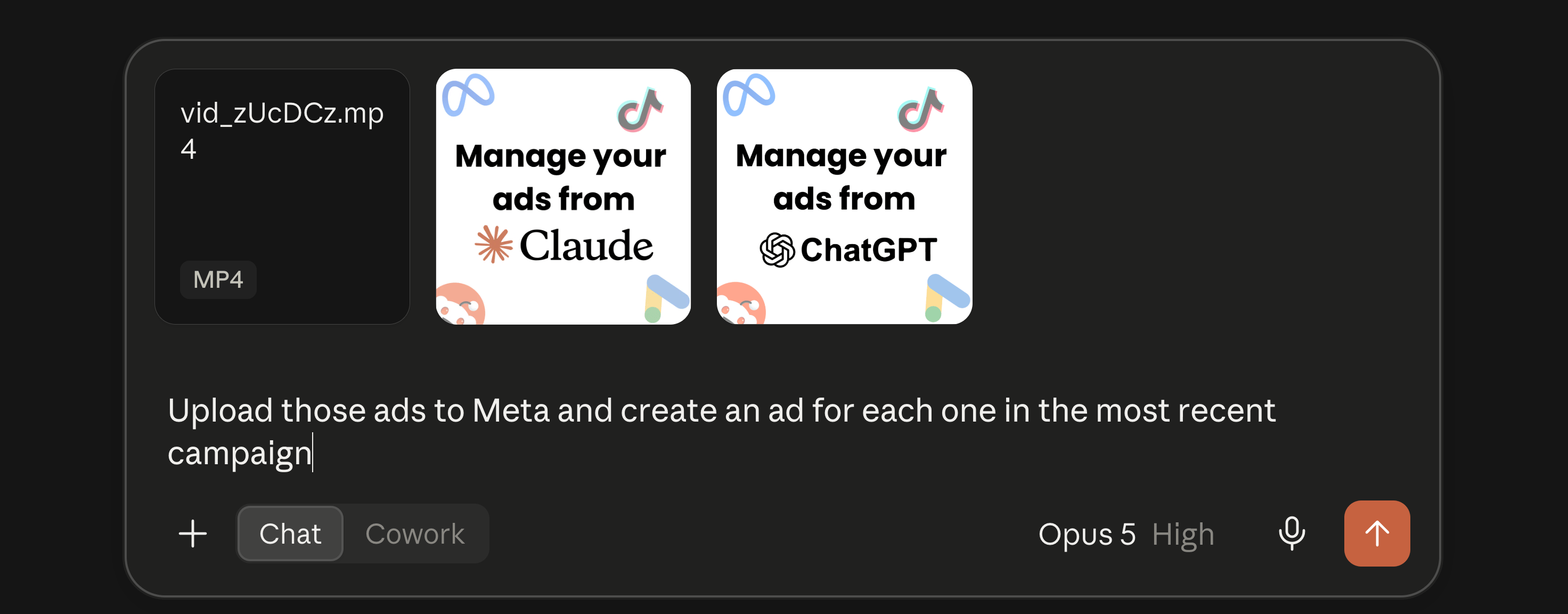
Attach the files to your message and say where they go:
Upload those ads to Meta and create an ad for each one in the most recent campaign
If your agent has access to your computer (Claude Code, Codex, Cursor), you can also give it the path to a file or folder instead of attaching.
AdKit hands the agent the platform's ID for the file, and the agent uses it when it builds the ad. You don't need the ID yourself.
What you can upload
AdKit accepts JPEG, PNG, GIF, and WebP images, and MP4, MOV, and WebM videos, up to 512 MB per file. Three platforms have their own rules:
- X takes JPEG and PNG images only, up to 5 MB each.
- LinkedIn takes JPEG, PNG, and GIF images, and MP4 videos.
- Google Ads takes JPEG, PNG, and GIF images. For video, Google uses YouTube, so give the agent the YouTube link instead of a file.
The file goes to the platform as it is, so the platform's own rules still apply. An image too small for a placement is refused by Meta or Google, not by AdKit. The agent gets that error and tells you.
Common questions
An upload link works once and expires after 30 minutes, because the link itself is what authorizes the upload. Ask the agent to start the upload again. It requests a fresh link on its own.
Some setups give you no way to allow a domain, for example Claude Team or Enterprise when you're not the admin. Put the file somewhere public and give the agent a direct link to the file, one that opens the image or video itself rather than a preview page.
Check three things first: the agent is allowed to reach *.adkit.so (setup above), the file is in a format and size the platform takes, and the platform itself didn't refuse it. If none of those is it, the upload tool is in beta, so possibly. Ask the agent to send us the error (it has an AdKit feedback tool for that), then retry with a public link if you have one.